Mastering Route Planner Multi Stop Efficiency for 2026 Logistics
A route planner with multi-stop capability is a specialized software tool designed to calculate the most time-efficient and fuel-optimized sequence for visiting multiple geographic locations. By leveraging algorithmic pathfinding, thes...
A route planner with multi-stop capability is a specialized software tool designed to calculate the most time-efficient and fuel-optimized sequence for visiting multiple geographic locations. By leveraging algorithmic pathfinding, these platforms reduce total mileage, lower operational fuel costs, and improve service time windows for both professional delivery fleets and individual travelers managing complex errands.
Contents
The Mathematical Foundation of Multi-Stop Routing
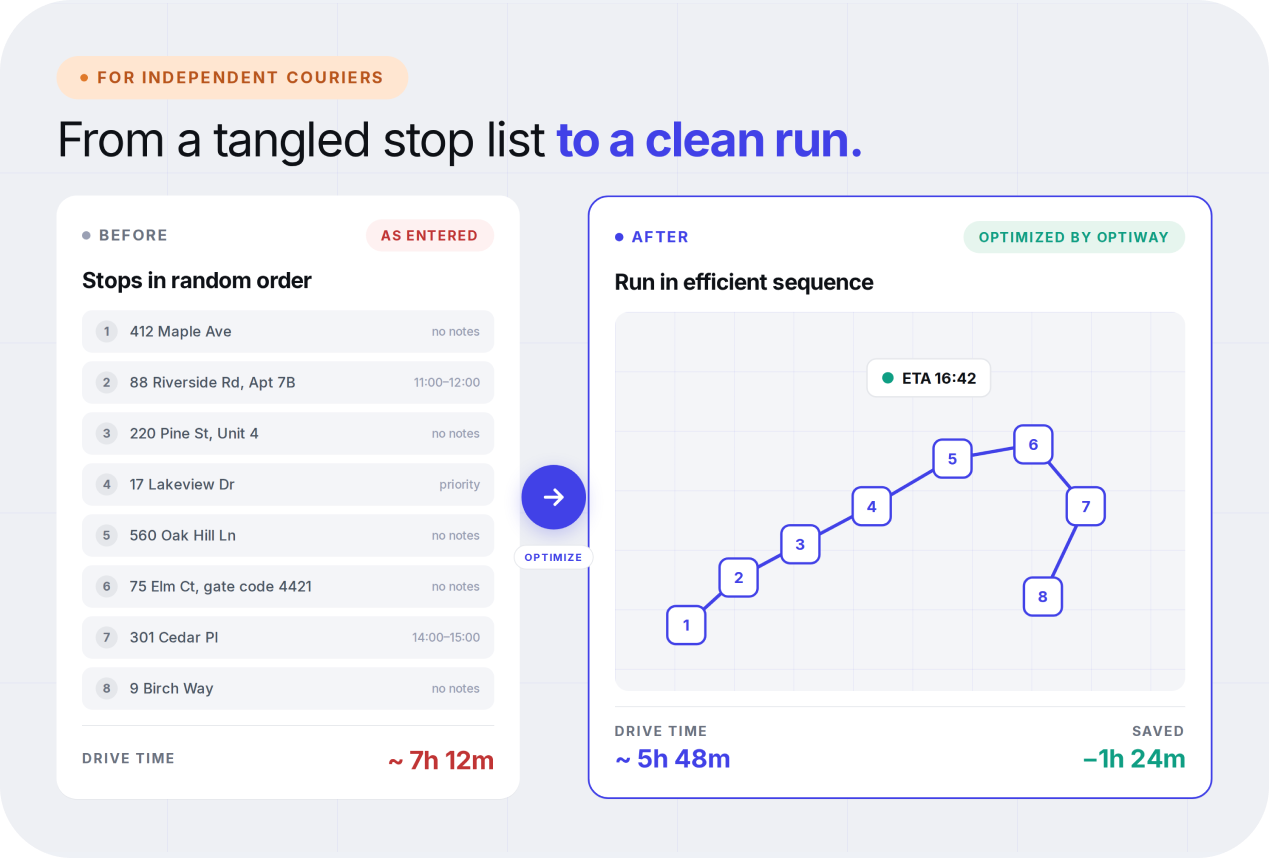
At the core of any professional-grade route planner lies a variation of the Traveling Salesperson Problem (TSP) and the Vehicle Routing Problem (VRP). Unlike a standard navigation app that simply calculates point-to-point transit, a multi-stop planner must evaluate thousands of potential permutations to find the optimal sequence.
In 2026, these systems utilize real-time telemetry data. When you input multiple destinations, the software analyzes:
- Historical Traffic Patterns: Moving beyond static speed limits to predict congestion based on the day of the week and hour.
- Road Constraints: Incorporating data on bridge heights, weight limits, and prohibited turns for heavy vehicles.
- Service Time Windows: Allowing users to define specific constraints for each stop, such as delivery deadlines or appointment windows.
- Fuel Consumption Variables: Adjusting routes based on vehicle profile to minimize idling and high-torque maneuvers.
Evaluating Modern Route Optimization Features
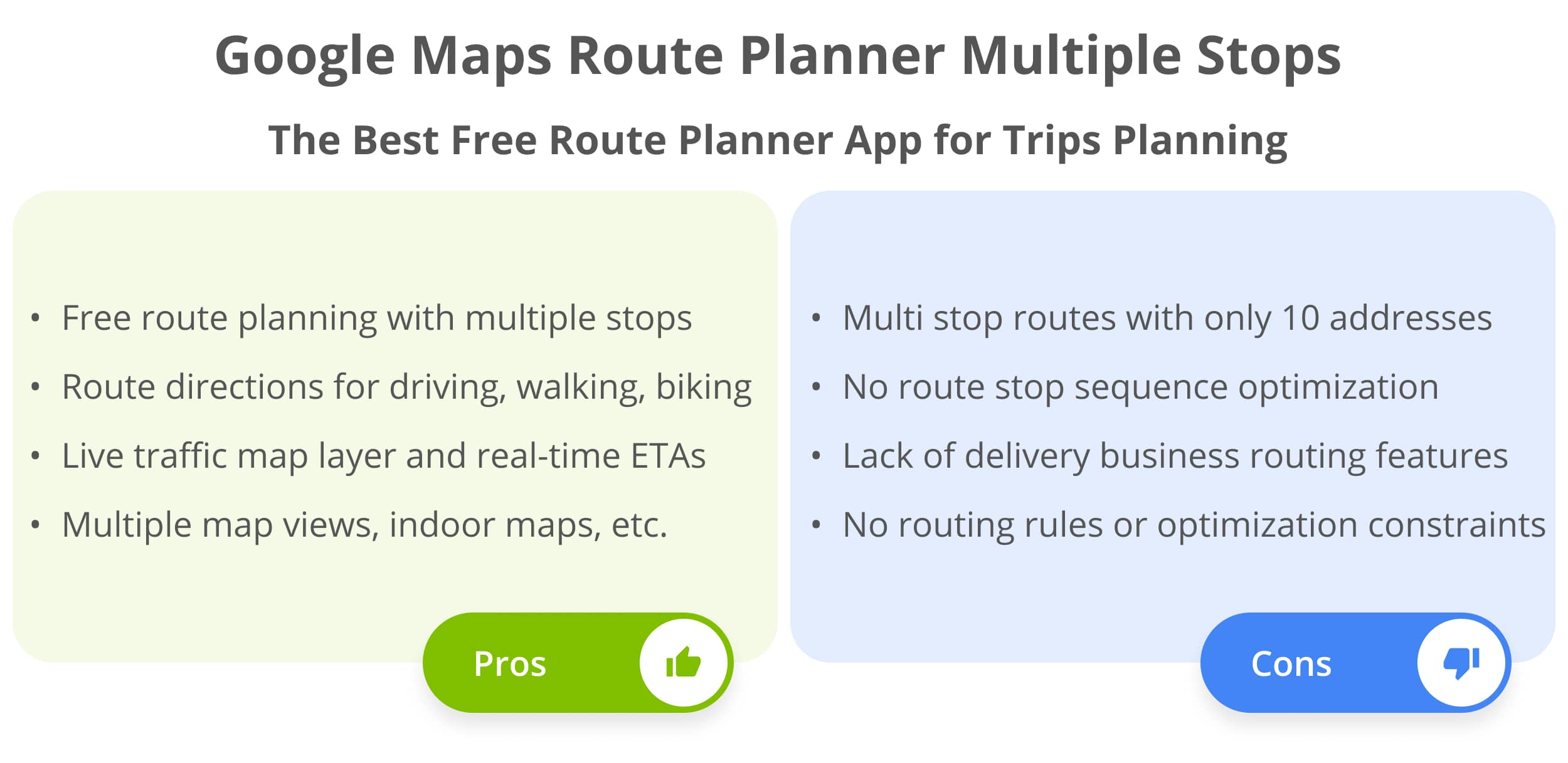
Selecting the right tool requires a clear understanding of the difference between basic GPS navigation and true optimization engines. Most consumer-grade map applications limit the number of stops or fail to reorder them, forcing the user to manually guess the sequence. A dedicated multi-stop planner performs the heavy lifting automatically.
| Feature Category | Basic GPS Apps | Professional Route Planners |
|---|---|---|
| Stop Limit | Restricted (often 10-25) | Unlimited / High Volume |
| Sequence Logic | User-defined only | AI-driven reordering |
| Fleet Management | None | Real-time driver tracking |
| Integration | Limited | API/CRM/ERP connectivity |
| Load Weight/Type | No | Vehicle-specific constraints |
Practical Implementation Guide
To maximize the efficacy of your multi-stop planning in 2026, follow this systematic approach to data input and route execution.
- Data Normalization: Ensure all addresses are formatted consistently. Use ZIP codes or specific coordinate points (latitude/longitude) if the location is in a rural area or lacks a standard street number.
- Constraint Setting: Define your "hard" constraints first. If a specific stop must occur by 10:00 AM, lock that stop as a priority window.
- Vehicle Profiling: Input your vehicle’s fuel efficiency, current fuel level, and size. This prevents the system from routing you through narrow residential streets that may be impassable for delivery vans or trucks.
- Batch Processing: For high-volume routes, utilize bulk-upload features (CSV or Excel files) to import stop lists, ensuring all formatting matches the provider's template to prevent API rejection.
- Synchronization: Ensure your device has an active network connection, as real-time 2026 traffic updates require periodic polling of central server data.
Addressing Common Operational Limitations
Users often face frustration when the software suggests a route that feels unintuitive. It is essential to recognize that algorithms prioritize mathematical efficiency over "local knowledge."
Algorithmic Transparency Route planners function on data-driven weights. If a route seems inefficient, it is often because the engine is avoiding a high-probability congestion zone or a known construction bottleneck that is not yet visible to the human eye. Trusting the machine-learned output generally results in a 15-20% reduction in total travel time over the course of a full workday.
Comparative Analysis of Routing Methodologies
When choosing a tool for your 2026 operations, distinguish between the two primary methodologies:
- Static Sequencing: The tool optimizes the route at the start of the day. This is cost-effective for stable routes with little deviation.
- Dynamic Re-routing: The tool continuously monitors traffic and events throughout the day. If a major accident occurs on your planned path, the software automatically injects a detour mid-transit. For professional logistics, dynamic capabilities are a requirement, not an optional luxury.
Frequently Asked Questions
How does a multi-stop planner save money? A multi-stop planner saves money by minimizing total distance traveled and reducing idling time, which directly lowers fuel consumption and wear-and-tear on your vehicle. By optimizing the order of stops, you also reduce the man-hours required to complete a shift.
Can I use a free app for business-scale delivery? While free apps are useful for personal errands, they lack the load balancing, fleet visibility, and massive stop-count capacity required for professional operations. Free versions often cap usage or exclude critical features like multi-driver synchronization.
Why is my route planner skipping a stop I added? This usually occurs when a stop is placed outside of your defined operational hours or if the stop data is corrupted. Ensure your time windows are realistic; if a stop requires 30 minutes of service, the software will not allow you to schedule it with a zero-minute duration.
Does the planner account for traffic in real-time? Yes, most enterprise-grade planners in 2026 utilize live API feeds from satellite traffic providers. If traffic density increases on your intended route, the software will recalculate the remaining stops to maintain the original delivery windows.
Is internet access required at all times? While you can often download a route for offline viewing, real-time optimization and traffic adjustments require an active data connection. Always ensure your mobile device has sufficient roaming or cellular data plans if operating in remote regions.
How do I handle last-minute order additions? Most professional tools allow for "on-the-fly" injection. You can insert a new stop into your active route, and the system will instantly re-sequence your remaining stops to accommodate the new requirement with the least possible deviation from the original schedule.
Final Recommendations for Operational Success
To achieve the highest level of performance, integrate your route planner with your existing CRM or inventory management system. By 2026, the barrier between route optimization and operational workflow has largely dissolved. Automation is the key to maintaining a competitive edge. Start by auditing your current travel metrics—specifically your "cost-per-stop"—and compare them against the performance data provided by your optimization tool. Consistency in how you input data will ultimately lead to the highest ROI.
Image Gallery