How to Get an Auto Insurance Declaration Page from USAA
To obtain your USAA auto insurance declaration page, log in to your account via the official USAA mobile app or website, navigate to the “My Accounts” section, select your auto policy, and click on the “Documents” or “Policy Documents”...
To obtain your USAA auto insurance declaration page, log in to your account via the official USAA mobile app or website, navigate to the “My Accounts” section, select your auto policy, and click on the “Documents” or “Policy Documents” tab. From there, you can view, download, or print your current policy declarations page as a PDF file.
Contents
Understanding the Insurance Declaration Page
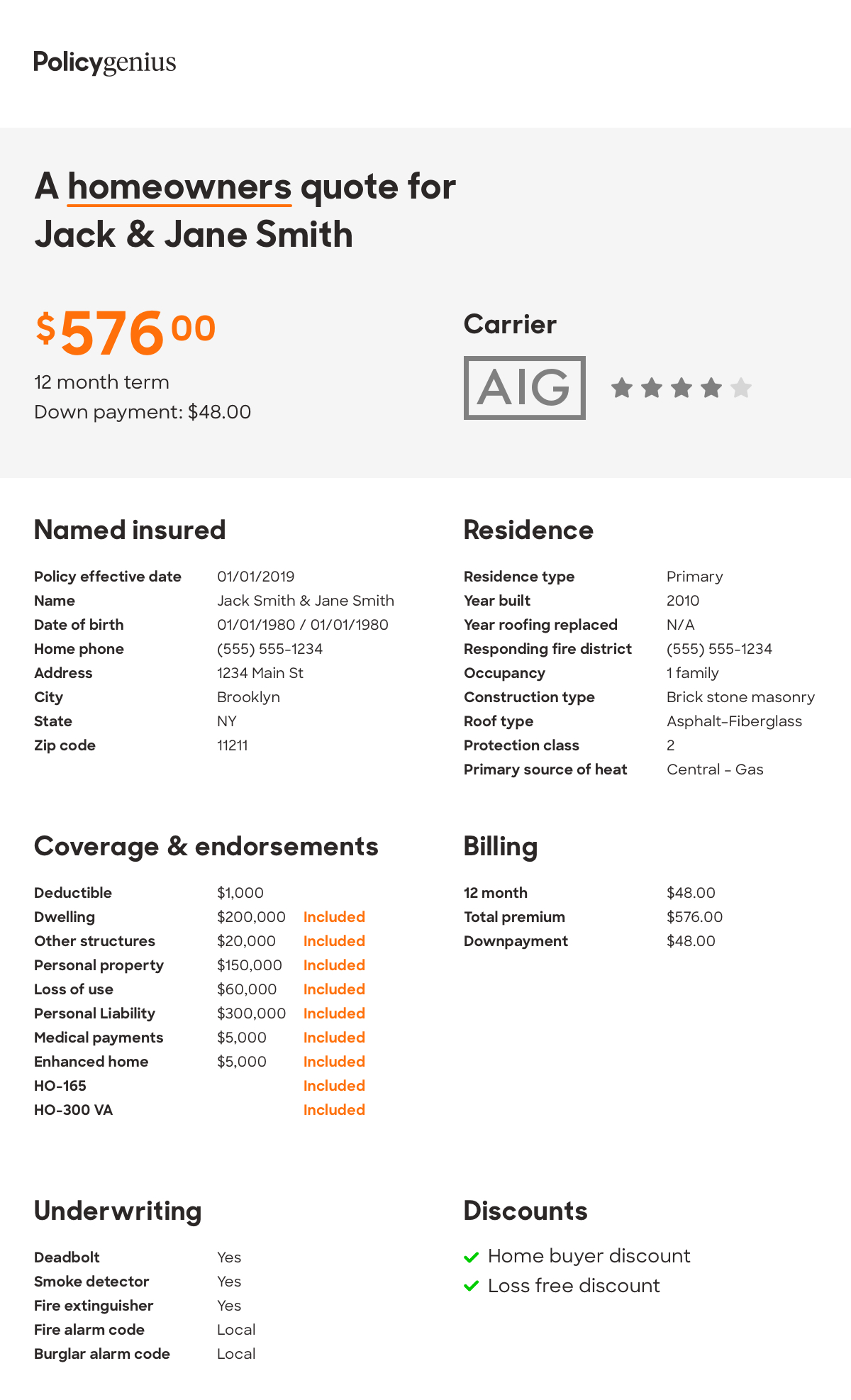
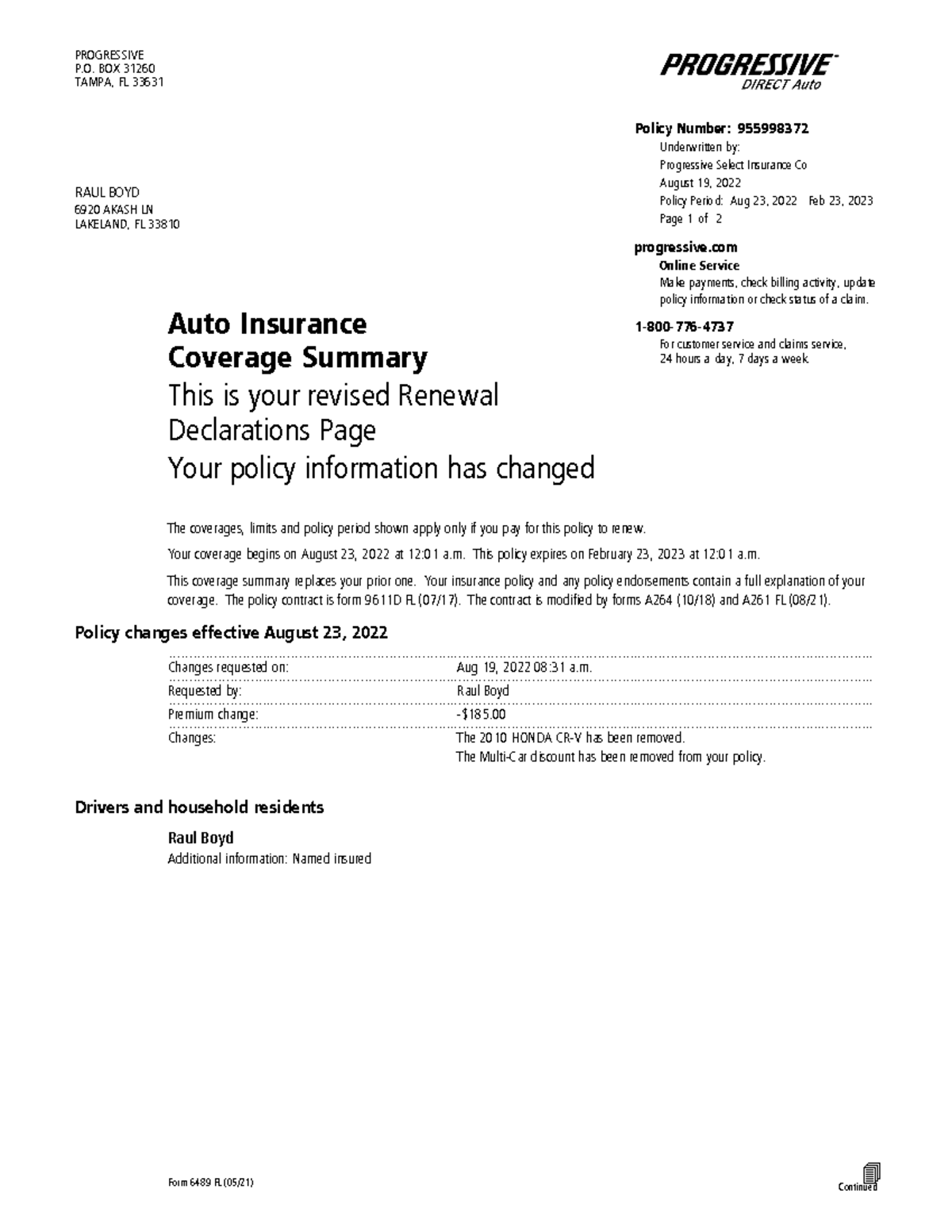
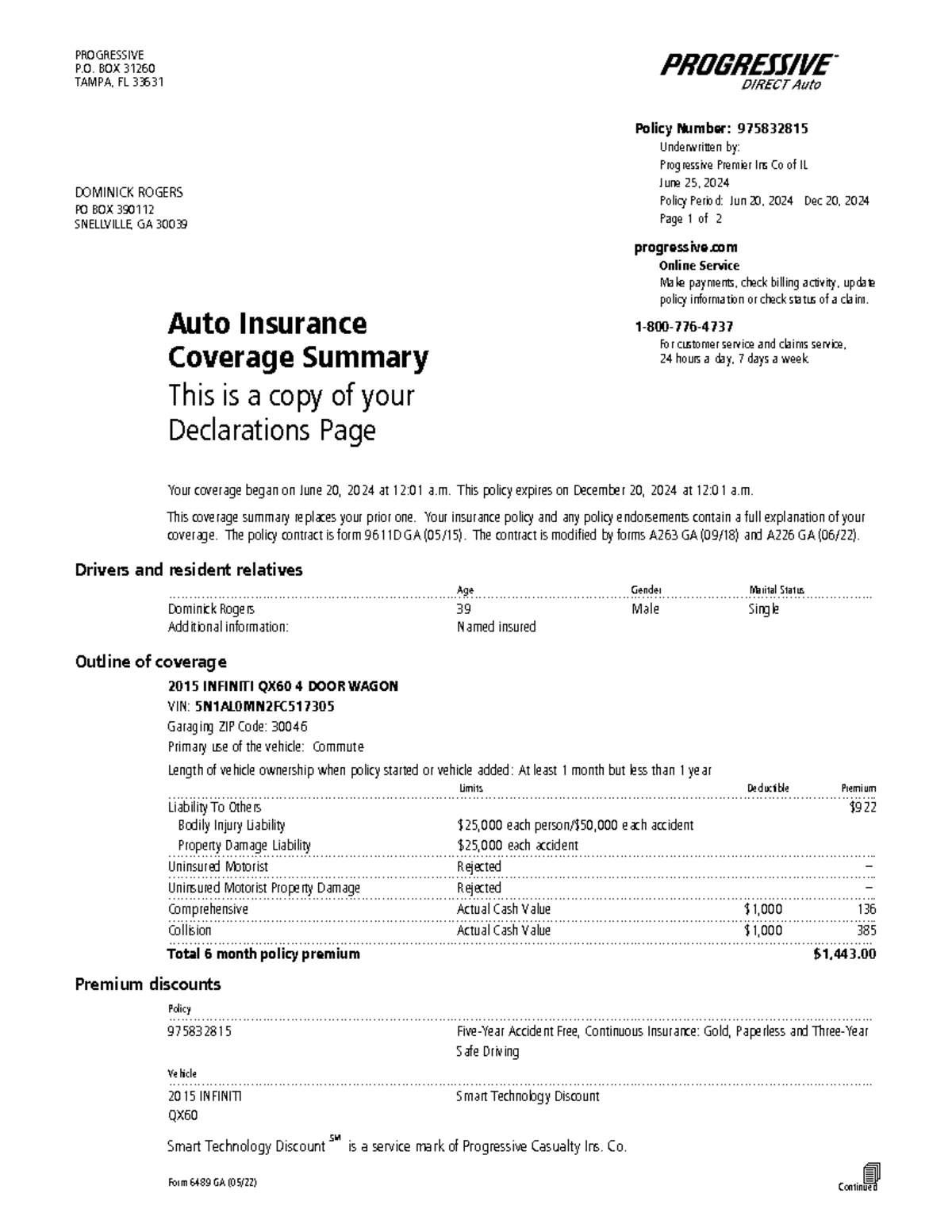
The declaration page, often referred to as the "dec page," serves as the snapshot of your insurance contract. It is a vital document that summarizes your coverage details, including the policy period, the vehicles covered, the registered drivers, and the specific limits of liability and deductibles you have selected. For lenders, lienholders, or state agencies requiring proof of insurance, this document is the primary source of verification because it proves that a policy is active and outlines the scope of protection.
While your insurance identification card (the small card kept in your glove box) provides proof of financial responsibility, it rarely contains the depth of information found on a declaration page. If you are financing a vehicle, refinancing a loan, or registering your car in a new state, the requesting party will almost certainly require the full declaration page rather than just the ID card. Understanding how to navigate the USAA digital ecosystem to retrieve this document ensures you can provide the necessary proof of coverage without delay.
Prerequisites for Accessing Your Documents
Before you attempt to retrieve your declaration page, ensure you have active credentials for your USAA online account. If you have not yet set up digital access, you will need your USAA number or Social Security number, along with the personal information associated with your account, to register on the USAA website or mobile application.
Additionally, ensure that you are accessing the account through official channels. USAA provides its services through its secure website and the proprietary USAA mobile application. Be wary of third-party websites or email links claiming to provide direct access to your policy documents, as these may pose security risks. Always navigate directly to usaa.com or use the official app downloaded from a reputable app store.
Step-by-Step Guide to Retrieving Your Documents
The process of downloading your declaration page is standardized across the USAA digital platforms. Follow these steps to secure your document:
- Authentication: Log in to your account using your username and password. If you have enabled multi-factor authentication, ensure you have your secondary device or access to your registered email or phone to complete the verification.
- Navigate to Policy Management: Once logged in, you will be directed to the dashboard. Locate the section labeled “Insurance” or “My Accounts.” Click on your auto insurance policy link to view specific policy details.
- Locate the Documents Tab: Within the individual policy view, look for a tab or link titled “Documents,” “Policy Documents,” or “View Policy.”
- Filter by Type: You may see a list of various documents, including billing statements, renewal notices, and policy amendments. Use the filter feature to select "Declaration Page" or "Policy Declarations" to narrow your search to the most recent version.
- Download and Verify: Once you identify the correct file, click the download icon or the document title to open the PDF. Verify that the dates on the declaration page are current and match your expectations before sending it to a third party.
Troubleshooting Common Access Issues
If you cannot find the declaration page in your online account, consider the following common hurdles:
- Policy Renewal Cycles: If you have recently renewed your policy, the system may still be processing the updated declaration page. If your policy is effective immediately but the document is not showing, it may take 24–48 hours for the digital system to update.
- Joint Policies: If you are a secondary driver on a policy, your access level might differ depending on the permissions set by the primary account holder. Ensure you have the necessary administrative permissions if you are trying to pull a document for a policy that is not directly under your primary profile.
- Browser Compatibility: If the document fails to open, try clearing your browser cache, disabling ad-blockers, or switching to a different web browser. The USAA portal is optimized for most modern browsers; outdated versions may experience rendering issues.
- Technical Outages: Occasionally, financial institutions perform server maintenance. If you receive an error message regarding service availability, wait a few hours and try again later.
Comparison of Proof of Insurance Documents
It is helpful to distinguish between the different types of documents USAA provides. Choosing the right one for your specific needs will prevent administrative delays.
| Document Type | Purpose | Contains Detailed Limits |
|---|---|---|
| Insurance ID Card | Used for traffic stops and state law compliance. | No |
| Declaration Page | Used for bank loans, lease verification, and legal proof. | Yes |
| Billing Statement | Used for proof of payment and premium details. | No |
| Policy Booklet | General terms and conditions of the contract. | No |
Ensuring Your Information is Accurate
Before you submit your declaration page to a lender or government agency, take a moment to audit the information printed on it. Ensure that the VIN (Vehicle Identification Number) of your vehicle is correct, the garaging address matches your current location, and the listed drivers are accurate. If you notice a discrepancy—such as an old address or a vehicle you no longer own—contact USAA customer support via the secure messaging center or by phone to request an updated declaration page. Submitting a document with incorrect information can cause a request for proof of insurance to be rejected by a bank or a Department of Motor Vehicles (DMV).
Frequently Asked Questions
Can I get a physical copy of my declaration page mailed to me? Yes. If you prefer a hard copy, you can request that USAA mail your documents to your address on file. You can do this by contacting customer service through the phone number listed on your current insurance card or by selecting the “Contact Us” option within your online account to send a secure message.
Is the digital declaration page legally valid? Yes, the digital declaration page, when provided as a high-quality PDF, is legally recognized by lenders, lienholders, and state agencies in the United States. Ensure that the document includes the company’s logo, your policy number, and the official issue date to ensure it is accepted without question.
Does the declaration page show my premium costs? Generally, yes. The declaration page includes a breakdown of the coverage provided and the corresponding premium for the policy term. If you need to hide these costs from a third party for privacy reasons, ensure you are authorized to provide a redacted version, though most lenders require the full, unedited document for verification.
What should I do if my lender says my declaration page is "invalid"? This usually occurs if the document is outdated or if the lender requires the document to be countersigned. Check the "Policy Period" dates on your document. If they are current, ask the lender specifically which section of the page is missing or deemed invalid, and then contact USAA to request an official "binder" or a supplemental declaration page that meets the lender’s specific requirements.
How far back can I access historical declaration pages? USAA typically maintains several years of policy history in the digital archives. You can usually find the last 2–3 years of policy documents in your online account. For older records, you may need to submit a specific request to their records department via phone.
Next Actions
To ensure you are prepared for any requirement, log in to your USAA portal today and download a copy of your current declaration page. Save this file to a secure, encrypted folder on your computer or a password-protected cloud drive. Having this document ready before a lender requests it or a registration deadline arrives will save you significant time and prevent unnecessary stress during administrative tasks. If you identify any outdated vehicle information or coverage details while reviewing the document, call USAA promptly to update your policy and receive a corrected version of the declaration page.
Image Gallery