How to Get in Line at the DMV: Online, Virtual, and In-Person Strategies
To get in line at the Department of Motor Vehicles (DMV), book an advance appointment through your state’s official motor vehicle web portal, join a virtual same-day queue via text or mobile app where available, or arrive 15 to 30 minu...
To get in line at the Department of Motor Vehicles (DMV), book an advance appointment through your state’s official motor vehicle web portal, join a virtual same-day queue via text or mobile app where available, or arrive 15 to 30 minutes before opening for standby walk-in service. Modern motor vehicle departments prioritize digital reservation holders over unscheduled walk-ins.
Contents
Understanding Modern DMV Queue Systems
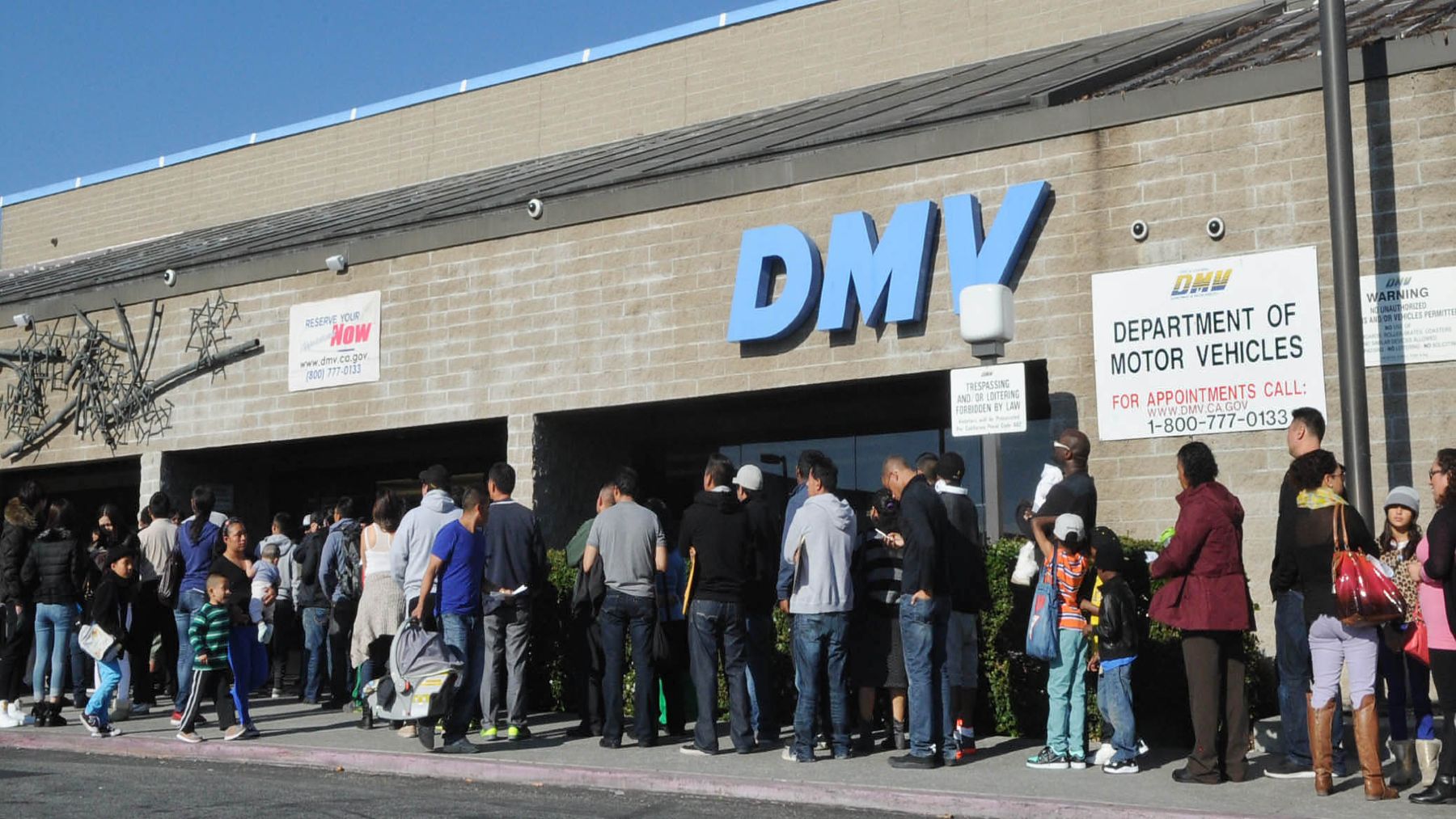
The days of waiting in a physical line wrapped around a brick-and-mortar building for hours have largely been replaced by dynamic digital queue management systems. Modern state agencies—such as the California Department of Motor Vehicles (DMV), New York State DMV, Texas Department of Public Safety (DPS), and Florida Department of Highway Safety and Motor Vehicles (FLHSMV)—utilize multi-tiered scheduling architectures. These platforms manage visitor traffic through advance appointments, virtual check-in queues, and limited walk-in standby tickets.
State motor vehicle departments organize operational traffic into three distinct queue categories:
- Scheduled Advance Appointments: Time slots reserved days, weeks, or months ahead for complex services like driver's license renewals, REAL ID issuance, commercial driver licensing (CDL), and original vehicle titling.
- Same-Day Virtual Queuing ("Get in Line Now"): Geofenced or web-based ticketing systems that permit customers to join a digital line on the day of their visit, sending SMS notifications when their ticket number approaches the service window.
- Physical Standby / Walk-In Queues: Unscheduled line access managed by on-site greeters issuing physical queue numbers. Walk-in availability is strictly subject to daily counter capacity and staff availability.
Navigating these systems efficiently requires understanding how your local agency handles ticket allocation. Most states release new appointment slots dynamically based on system cancellations and rolling administrative schedules.
Prerequisites: What You Must Complete Before Joining the Line
Securing a spot in line—whether virtually or in person—is useless if you are turned away at the service window for incomplete documentation. State agencies operate under strict compliance standards enforced by federal and state regulations, including national REAL ID security mandates.
Complete your pre-application online before entering any physical or virtual line. Most state portals issue an confirmation barcode or transaction ID upon pre-application completion. Bring this identifier to your appointment to bypass initial data-entry delays.
Mandatory Documentation Checklist
Before reserving a spot in line, assemble the following original documents (photocopies and digital screenshots are generally rejected):
- Proof of Identity and Legal Presence: Valid U.S. passport, certified birth certificate, or permanent resident card.
- Proof of Social Security Number (SSN): Social Security card, W-2 form, or paystub showing full SSN.
- Proof of State Residency (Two Items Required for REAL ID): Recent utility bill, lease agreement, mortgage statement, or bank statement matching your current residential address.
- Existing Credentials or Vehicle Titles: Driver's license, learner's permit, or clear title and registration documents for vehicle-related transactions.
- Payment Method: Check, debit card, or credit card. Note that some local offices charge a credit card processing sur-fee or require exact cash for specific fee types.
Step-by-Step Guide: How to Secure Your Place in Line
Option 1: Booking an Online Advance Appointment (Recommended)
Booking weeks in advance remains the most reliable strategy to avoid long wait times.
- Locate the Official State Portal: Access your official state motor vehicle agency website (e.g.,
dmv.ca.gov,dmv.ny.gov, ortxdps.state.tx.us). Beware of third-party scam sites charging fees for DMV scheduling; official appointment scheduling is always free. - Create or Log Into Your Account: Many states require an authenticated profile (such as MyDMV or NY.gov ID) to prevent automated bots from hoarding appointment slots.
- Select Your Specific Service: Choose the exact service required. Selecting "Registration Renewal" when you actually need a "REAL ID Driver's License Application" can result in service refusal upon arrival.
- Choose Office Location and Time: Select your primary office or expand your search radius to surrounding counties if local dates are fully booked.
- Confirm and Save Confirmation: Save the digital barcode, confirmation text, or email. You will scan this confirmation at the office kiosk upon arrival.
Option 2: Joining the Same-Day Virtual Queue ("Get in Line")
Many state branches offer same-day digital queuing features that act as a virtual ticket.
- Check System Opening Times: Virtual queues typically open early in the morning (e.g., 7:00 AM or 8:00 AM local time) on the official website or agency mobile application.
- Verify Geofencing Requirements: Certain state systems require your mobile device's GPS location to be within a specific radius (e.g., within 10 to 15 miles of the branch office) to join the virtual line.
- Input Contact Details: Provide a valid mobile phone number capable of receiving SMS alerts.
- Monitor Queue Updates: The system will send automated texts updating your estimated wait time (e.g., "You are #12 in line. Estimated time: 25 minutes").
- Arrive Upon Prompting: Report to the building's check-in greeter only when your mobile prompt instructs you to head to the lobby.
Option 3: Navigating Standby Walk-In Queues
If no online appointments or virtual lines are available, walking in as a standby visitor requires targeted timing.
- Identify Walk-In Days and Policies: Confirm whether your target branch allows walk-ins. Certain offices operate strictly on an "Appointment-Only" model and do not accept physical walk-ins under any circumstances.
- Arrive Early: Position yourself in the physical standby line 20 to 30 minutes prior to the office opening time.
- Obtain a Standby Number: Once doors open, the intake greeter will check your paperwork, verify eligibility, and issue a physical queue ticket (e.g., Category "B" or "S" standby ticket).
- Remain in Designated Waiting Areas: Standby callers are woven in between scheduled appointment holders when appointments finish early or fail to show up.
DMV Queueing Methods Compared
| Method | Average Wait Time | Flexibility | Booking Window | Ideal Use Case |
|---|---|---|---|---|
| Online Advance Appointment | 5 – 20 Minutes | Low (Fixed Time) | 1 to 90 Days Ahead | Complex licensing, REAL ID transfers, original driving tests. |
| Same-Day Virtual Queue | 30 – 60 Minutes (Remote) | Moderate | Same-Day Morning | Urgent renewals, duplicate titles, routine address changes. |
| Physical Standby (Walk-In) | 1 – 3+ Hours | High (Anytime) | Immediate / Daily | Urgent daily needs when online calendars are completely full. |
| Kiosk / Online Self-Service | 0 – 5 Minutes | Extremely High | 24/7 Availability | Simple vehicle registration renewals, driving records, fee payments. |
Expert Strategies for Securing Hard-to-Get Appointments
When official appointment calendars show no availability for months, strategic timing can help you claim newly opened or cancelled slots.
The Midnight and Early-Morning Refresh Technique
State scheduling systems run automated server batch processes overnight. Cancelled appointments and newly opened schedule blocks are typically released into the public system between 11:30 PM and 6:00 AM. Refreshing the official booking calendar during these off-peak hours frequently exposes single, high-demand appointment slots for the upcoming week.
Radius Expansion Strategy
Metropolitan DMV locations in densely populated urban centers experience heavy queue volume. Expanding your search radius by 20 to 40 miles into suburban or rural branches often reveals wide-open scheduling calendars with much shorter average on-site wait times.
Utilizing Self-Service Kiosks and Partner Locations
Before getting in line for a physical counter ticket, verify whether your transaction requires a staff member at all. Many states operate self-service grocery store kiosks (such as DMV Now kiosks) or partner with local tax collector offices, AAA branches, and municipal clerk counters to process basic vehicle registration renewals and driver's license address updates in minutes.
Common Line-Joining Bottlenecks and Troubleshooting
"No Appointments Available" Calendar Errors
If the scheduling system displays a red "No Slots Available" message across all dates:
- Select a different, broader transaction category to test system opening times.
- Clear your web browser cache or switch to an incognito window to bypass cached error screens.
- Check back precisely at 8:00 AM local time, when many state agencies publish daily cancellation slots.
Late Arrival and Missed Ticket Calls
Most automated queue management software automatically cancels an appointment or virtual ticket if the individual fails to check in at the on-site terminal within 10 to 15 minutes of the scheduled time. If your ticket is voided:
- Speak immediately with the building greeter or check-in desk administrator.
- Request to be transferred directly to the standby walk-in list using your existing transaction reference number so you do not have to restart your pre-application process.
Documentation Refusal at Intake
If a greeter rejects your physical paperwork at the door, you will forfeit your queue position. Always pre-verify utility bill dates (typically must be dated within 30 to 90 days), ensure identity documents are non-laminated original certificates, and verify that name variations across documents are accounted for with certified legal name-change paperwork (such as a marriage license or court order).
Frequently Asked Questions
What is the fastest way to get in line at the DMV?
Booking an advance online appointment through your state's official DMV portal is the fastest way to minimize wait time. Scheduled visitors are typically called to a counter within 5 to 20 minutes of their scheduled arrival time, completely bypassing the general standby queue.
Can you walk into the DMV without an appointment?
Yes, many DMV locations allow walk-in standby visitors, though some specific offices operate strictly on an appointment-only basis. Walk-in visitors must arrive early, bring complete documentation, and expect significantly longer wait times as scheduled appointment holders take priority.
How does the DMV virtual check-in line work?
Virtual check-in platforms allow visitors to scan a QR code or register online on the morning of their visit to secure a digital queue ticket. The system sends periodic SMS notifications updating the user on their place in line, allowing them to wait nearby or in their vehicle until their number approaches.
What time does the DMV release new appointment slots?
Most state DMV online systems release new appointment slots and processing cancellations early in the morning, typically between midnight and 8:00 AM. Checking the online portal during these early windows yields the highest success rate for finding same-week or same-day openings.
What happens if I miss my DMV queue number being called?
If you miss your number call, most queue systems provide a grace period of 5 to 10 minutes before marking your ticket as expired. If marked expired, you must see the check-in greeter to be placed onto the standby walk-in list or re-enter the virtual queue.
Final Guidance: Navigating Your DMV Visit Efficiently
To maximize efficiency at the DMV, always utilize official state digital resources before visiting an office in person. Start by checking your state agency's website to verify if your transaction can be completed fully online or at a self-service kiosk. If an in-person visit is mandatory, assemble and double-check all required original identity, residency, and transaction documents. Reserve your appointment online weeks in advance or log onto your state's virtual queuing portal early in the morning on the day of your planned visit. Following these systematic steps ensures a seamless, minimal-wait experience at counter service.
Image Gallery