How Small Dating Agencies Choose CRM and Management Software
Small dating agencies choose CRM and management software by evaluating matchmaking-specific workflows, candidate database management, introduction feedback loops, and privacy compliance. Rather than using generic sales platforms, bouti...
Small dating agencies choose CRM and management software by evaluating matchmaking-specific workflows, candidate database management, introduction feedback loops, and privacy compliance. Rather than using generic sales platforms, boutique matchmakers select solutions that balance visual profile matching, secure client portals, and flexible billing models to streamline operations while protecting client confidentiality.
Contents
The Unique Operational Requirements of Matchmaking Agencies
Unlike traditional business-to-business (B2B) or direct-to-consumer (DTC) operations, boutique matchmaking and dating agencies do not operate on a simple sales pipeline. Standard Customer Relationship Management (CRM) tools track leads converting into single transactions. A dating agency, by contrast, manages two distinct groups simultaneously: paying clients who purchase high-touch matchmaking services, and non-paying (or low-tier) candidates who make up the potential match pool.
This dual-database structure changes how customer data must be mapped. A matchmaker must record personal traits, physical preferences, lifestyle deal-breakers, values, relationship histories, and feedback on every single introduction. Furthermore, the relationship between records is multidirectional. A single paying client might be linked to dozens of candidate records over a multi-month contract, with each pair generating unique interaction logs, bilateral feedback notes, and scheduling records.
Generic sales platforms often fail to accommodate these relational complexities without extensive custom software development. As a result, small dating agencies must decide whether to adopt specialized matchmaking SaaS (Software-as-a-Service) platforms designed specifically for the industry or invest in customizing flexible, mainstream business software.
Core Features to Evaluate in Matchmaking Software
When evaluating management software, agency founders must prioritize features that directly reduce administrative overhead and accelerate the matching cycle.
1. Dual-Database and Advanced Filtering Systems
The software must clearly separate paying clients from network candidates while allowing matchmakers to search across both pools. Advanced search functionality should go beyond standard demographic filters (age, location, occupation) to support nuanced attributes, such as willingness to relocate, religious practices, parental status, and specific lifestyle choices. The ability to run Boolean searches or multi-attribute queries ensures matchmakers can quickly filter hundreds of profiles down to a vetted short-list.
2. Visual Profile Cards and Matching Engines
Matchmaking relies heavily on visual presenting and qualitative assessment. Platforms should offer side-by-side profile comparisons, allowing matchmakers to review photos, biographical details, and personal notes simultaneously. Some platforms incorporate algorithm-assisted suggestions that rank potential compatibility based on stated preferences, but the software must always allow human matchmakers to override algorithmic scores.
3. Client Portals and Automated Introduction Workflows
Managing match approvals manually via email or messaging apps creates security risks and administrative bottlenecks. Modern matchmaking software provides dedicated client portals or web interfaces where clients can securely log in to review candidate profiles. The platform should support configurable introduction workflows:
- Unilateral approvals: Showing candidate profiles to the paying client first before contacting the candidate.
- Bilateral approvals: Requiring both parties to approve the profile exchange before personal contact details are released.
- Sanitized profile views: Automatically stripping away full names, exact locations, and contact information to maintain confidentiality prior to mutual consent.
4. Post-Date Feedback Tracking
The success of a matchmaking retainer depends on refining match criteria based on date outcomes. Effective CRM software includes automated feedback forms triggered after an introduction is accepted or completed. Collecting structured feedback—such as chemistry ratings, conversation quality, and alignment on long-term goals—helps matchmakers adjust future candidate selection while maintaining an auditable history of contract performance.
5. Confidentiality and Data Protection Controls
Dating agencies handle highly sensitive personal data, including confidential photos, background check statuses, income verification, and private notes regarding personal behavior. Software must feature role-based access controls (RBAC) so that junior staff, independent matchmakers, and administrative assistants only see data relevant to their assigned tasks. Features such as photo watermarking, restricted document downloads, and encrypted data storage are critical for protecting client privacy and maintaining legal compliance.
Comparing Software Architecture Options
Small dating agencies typically choose between three main software architectures. The table below outlines the trade-offs involved in each approach:
| Selection Criteria | Dedicated Matchmaking SaaS | Customized Commercial CRM | Custom-Built Software |
|---|---|---|---|
| Primary Examples | SmartMatchApp, Matchmaker CRM | HubSpot, Salesforce, Zoho CRM | Proprietary Web Apps (Custom Code) |
| Initial Setup Cost | Low (Monthly/Annual subscription) | Moderate to High (Consulting fees) | High (Significant upfront capital) |
| Deployment Time | Immediate (Days to weeks) | Moderate (4 to 12 weeks) | Long (3 to 9 months) |
| Matchmaking Features | Pre-built visual matching, bio generation, feedback portals | Requires custom objects, custom workflows, and add-ons | Fully tailored to exact agency workflow |
| Ongoing Maintenance | Handled by software vendor | Internal admin or external agency required | Ongoing developer retainer required |
| Data Control & Lock-in | High vendor dependency | Flexible data export standards | Total ownership of codebase and database |
| Best For | Solo matchmakers & boutique agencies | Growing agencies needing complex sales pipelines | Established agencies with unique models |
A Step-by-Step Framework for Software Selection
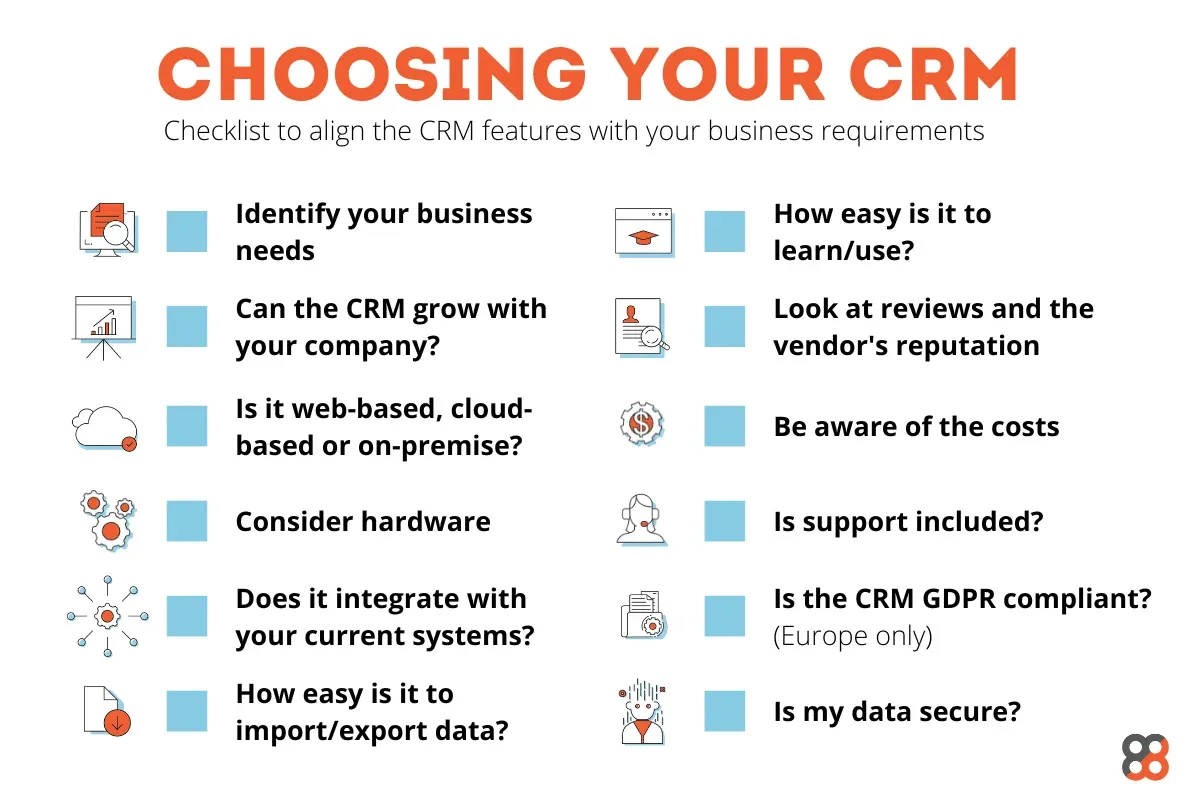
Small dating agency owners should follow a structured selection process to avoid costly software migrations later.
- STEP 1: Audit Workflows & Capacity
- Document client intake, profile approval, and feedback processes.
- STEP 2: Establish Budget & Total Cost of Ownership
- Account for per-seat pricing, database storage, and integrations.
- STEP 3: Test Candidate & Client Portal UX
- Verify mobile responsiveness and ease of profile review.
- STEP 4: Conduct Data Security & Compliance Verification
- Review encryption standards, data handling, and privacy policies.
Step 1: Audit Internal Workflows and Capacity
Document the exact path a client takes from intake consultation to contract completion. Identify operational bottlenecks: Are matchmakers spending too much time formatting PDF profiles? Is feedback collection falling through the cracks? Defining these pain points determines whether an out-of-the-box matchmaking SaaS or a customized commercial CRM is necessary.
Step 2: Calculate the Total Cost of Ownership (TCO)
Software costs extend beyond base monthly subscription fees. Agencies must account for:
- Per-seat license fees for additional matchmakers or recruiters.
- Database record tier limits (e.g., extra costs when exceeding 5,000 candidate profiles).
- Third-party software integrations (e.g., e-signatures via DocuSign, background check APIs, automated email marketing tools).
- Payment processing transaction fees for client contracts.
Step 3: Test Candidate Intake and Portal User Experience
Request a sandbox environment or trial account to test client interaction interfaces. Send test profiles to non-technical users to verify that profile reviews, feedback forms, and message portals function smoothly on mobile devices. If clients find the portal difficult to navigate, adoption rates drop, forcing staff back to manual communication methods.
Step 4: Audit Security, Compliance, and Data Portability
Verify where client data is stored and how backup procedures are handled. Agencies operating in Europe or servicing UK and European clients must ensure full compliance with the General Data Protection Regulation (GDPR). US-based agencies must monitor regional privacy mandates such as the California Consumer Privacy Act (CCPA). Crucially, check the vendor's data export policy to ensure candidate profiles and historical notes can be exported cleanly in standard formats (such as CSV or JSON) if the agency decides to change providers.
Common Mistakes When Choosing Matchmaking Software
- Over-Relying on Fully Automated Matching: Small dating agencies differentiate themselves through human intuition and curated services. Selecting software that forces fully automated matching algorithms can compromise service quality. The software should assist the matchmaker, not replace human judgment.
- Ignoring Candidate Database Scalability: Matchmakers often focus exclusively on the paying client interface while neglecting the candidate management side. A database that becomes slow or disorganized as thousands of non-paying single candidates are added creates significant administrative drag.
- Failing to Standardize Profile Formatting: Software should automatically sanitize and format profile exports. Agencies that manually edit personal biographies in word processors to remove surnames and contact details waste hundreds of staff hours annually.
- Selecting Tech Stacks Built Only for Sales Pipelines: Off-the-shelf business CRMs track transactional sales funnels well, but they require substantial custom engineering to link two distinct contact records together in a mutual "match" status with reciprocal feedback loops.
Frequently Asked Questions
Can a small dating agency start with generic tools like Excel or Airtable?
Early-stage matchmakers can use Airtable or relational spreadsheets when managing fewer than ten active clients and a few hundred candidates. However, spreadsheets quickly become unmanageable due to photo storage limits, security risks, lack of automated client portals, and the manual effort required to keep privacy settings intact.
How does specialized matchmaking software protect client confidentiality?
Specialized software protects confidentiality by automatically generating sanitized bios, stripping contact details, watermarking photo assets, generating secure passcoded links, and restricting staff view rights based on user permission tiers.
What is the average cost of CRM software for a small dating agency?
Dedicated matchmaking SaaS platforms typically cost between $100 and $500 per month for small boutique agencies, depending on the number of staff seats and the total size of the candidate database. Customizing platform tools like Salesforce or building custom software can require initial setup investments ranging from $5,000 to over $30,000.
Should our CRM handle payment processing and contract signing?
Integrating billing and contracts directly into your management platform streamlines operations. While dedicated matchmaker CRMs usually integrate with payment gateways like Stripe and e-signature tools like HelloSign or DocuSign, commercial CRMs often have these features native to their ecosystems.
Is an AI matching algorithm necessary for a small agency?
No. High-end boutique clients pay for human discretion, intuition, and personal vetting. While basic filtering tools (age range, location, core preferences) accelerate candidate selection, reliance on automated AI algorithms is generally unsuitable for personalized matchmaking services.
Recommended Next Steps
To select the right CRM and management software, agency directors should begin by auditing their current operational capacity. Map out the total number of active client retainers, the current size of the candidate database, and the average hours spent weekly on administrative matching tasks.
Schedule live demonstrations with specialized matchmaking SaaS vendors to test profile generation and client portal workflows. If your business model requires custom sales pipelines or complex marketing automation alongside matchmaking, consult an integration consultant to evaluate whether customizing a enterprise platform like HubSpot or Zoho aligns better with your long-term growth plans.
Image Gallery