5 Changes Shaping Dashlane Two-Factor Authentication in 2026
Dashlane’s two-factor authentication (2FA) has evolved through the widespread adoption of passkeys, deeper integration of biometric factors, enhanced support for hardware security keys (FIDO2), context-aware risk assessments, and the r...
Dashlane’s two-factor authentication (2FA) has evolved through the widespread adoption of passkeys, deeper integration of biometric factors, enhanced support for hardware security keys (FIDO2), context-aware risk assessments, and the retirement of legacy SMS methods. These changes prioritize phishing resistance and seamless cross-platform synchronization for both individual and enterprise users in 2026.
Contents
As cyber threats grow more sophisticated, particularly through AI-driven phishing and session hijacking, the way we protect our primary "keys to the kingdom"—our password managers—has undergone a radical transformation. Dashlane, long a leader in the credential management space, has pivoted its security architecture to meet these challenges. By 2026, the reliance on traditional, static passwords has diminished, replaced by a multi-layered approach where 2FA is no longer an optional "extra" but a core component of the identity fabric.
The following five changes represent the most significant shifts in how Dashlane handles two-factor and multi-factor authentication (MFA).
1. The Transition to Passkey-First Authentication
By 2026, the most profound change in Dashlane’s security model is the prioritization of passkeys over traditional master passwords. Passkeys are based on the WebAuthn (Web Authentication) standard and use public-key cryptography to provide a login experience that is both more secure and more convenient than passwords.
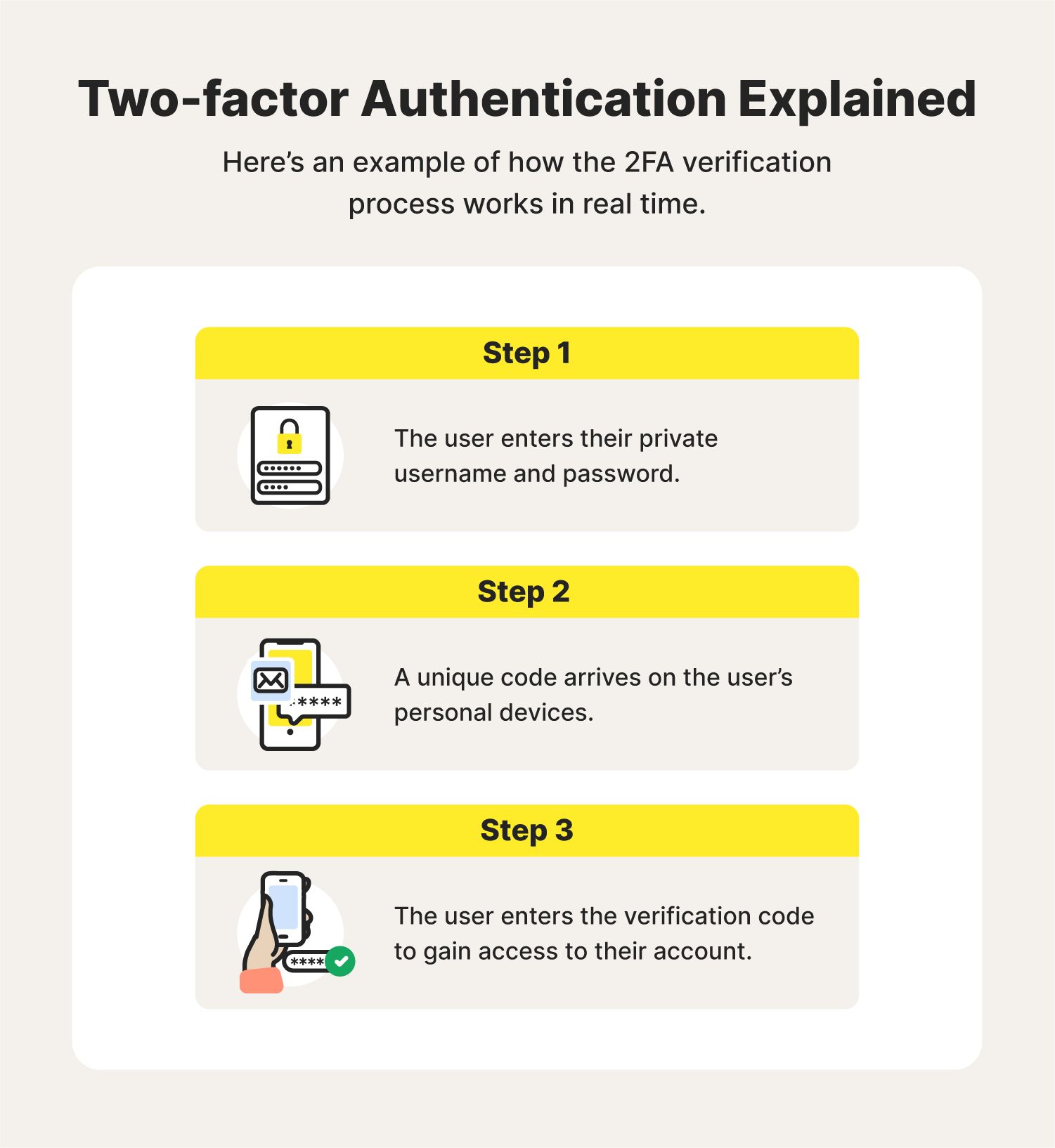
In previous iterations, 2FA was an additional step taken after entering a master password. With the shift to passkeys, the "something you have" (your device) and "something you are" (your biometric) are combined into a single, phishing-resistant event. Dashlane now allows users to create a passkey to unlock their entire vault. This effectively makes the device itself the second factor.
Because passkeys are cryptographically bound to the domain (dashlane.com), they cannot be intercepted by a fraudulent website. This solves the primary weakness of traditional 2FA methods like SMS or TOTP (Time-based One-Time Passwords), where a user might be tricked into entering their code on a lookalike site. For Dashlane users in 2026, the "second factor" is often invisible, occurring in the background via the device’s Secure Enclave or Trusted Platform Module (TPM).
2. Enhanced Integrated TOTP Generator and Cloud Sync
While passkeys represent the future, many legacy websites still rely on standard 2FA codes. Dashlane has significantly overhauled its integrated TOTP generator to provide a more cohesive experience across devices. In 2026, the manual entry of six-digit codes is becoming a rarity for Dashlane users.
Seamless Auto-fill for 2FA
Dashlane’s browser extension and mobile app now detect 2FA input fields with near-perfect accuracy. When a user clicks into a 2FA field, Dashlane automatically generates the TOTP code and pastes it in, provided the user has authenticated their session. This reduces the friction that traditionally led users to disable 2FA for the sake of convenience.
Encrypted Cloud Synchronization
In the past, users were often wary of storing 2FA seeds in their password manager, fearing a "single point of failure." In response, Dashlane implemented a multi-layered encryption approach for TOTP seeds. These seeds are encrypted with a key distinct from the main vault key in certain high-security configurations. This ensures that even if a specific credential is compromised, the 2FA seed requires additional authorization to reveal, maintaining the "multi-factor" integrity even within a single application.
3. Native Support for FIDO2 Hardware Security Keys
For users requiring the highest level of security—such as IT administrators, journalists, or executives—Dashlane has expanded its support for hardware security keys like YubiKeys and Google Titan keys. In 2026, this support is native across all platforms, including mobile via NFC (Near Field Communication) and USB-C.
The shift here is from "support as an alternative" to "support as a requirement." Dashlane Business administrators can now enforce a policy that requires a physical hardware key for vault access. This is a critical defense against remote attacks, as a physical key must be present at the machine attempting the login.
| 2FA Method | Security Level | User Convenience | Phishing Resistance |
|---|---|---|---|
| Passkeys | Extremely High | High (Biometric) | Complete |
| Hardware Keys (FIDO2) | Extremely High | Moderate (Physical) | Complete |
| Integrated TOTP | High | High (Auto-fill) | Moderate |
| SMS/Text Codes | Low | High | None |
| Authenticator Apps | High | Moderate | Low |
The table above illustrates why Dashlane has pushed users toward Passkeys and Hardware Keys. The vulnerability of TOTP and SMS to sophisticated phishing (where the attacker proxies the 2FA request in real-time) has made hardware-backed standards the only viable path for high-stakes security.
4. Biometric-as-MFA Integration
In 2026, biometrics have evolved from a mere "convenience shortcut" to a verified second factor within the Dashlane ecosystem. Dashlane now leverages the specific hardware-level security of modern devices, such as Apple's FaceID/TouchID and Windows Hello's infrared camera systems.
Verified Biometric Sessions
Dashlane’s current architecture distinguishes between a "soft" biometric unlock (which simply opens the app) and a "hard" biometric verification (which acts as a cryptographic 2FA challenge). For sensitive actions—such as viewing a plain-text password, exporting a vault, or changing account settings—Dashlane requires a fresh biometric scan that is verified against the device’s hardware security module.
This change ensures that if a user leaves their computer unlocked, an intruder cannot simply copy all their passwords. Each high-value action triggers a 2FA-equivalent biometric check, effectively providing "continuous authentication" throughout the user's session.
5. Context-Aware and Risk-Based Authentication
The fifth major change is the move toward "silent" 2FA through risk-based analysis. Dashlane now uses machine learning to evaluate the context of every login attempt. This system analyzes variables such as:
- Geographic Location: Is the login coming from a known city or a new country?
- Device Fingerprinting: Is the browser, OS version, and hardware configuration recognized?
- Network Reputation: Is the IP address associated with a known VPN, Tor exit node, or a malicious botnet?
- Behavioral Patterns: Is the user logging in at an unusual time of day?
If the "Risk Score" is low, Dashlane may allow a seamless login using a previously authorized device (using a persistent, encrypted cookie). However, if any of these variables are flagged, the system automatically escalates the 2FA requirement. Even if the user has a passkey, Dashlane might demand a secondary factor, such as a hardware key or a verification email, to prove identity. This adaptive approach ensures that security is tightest when the threat is highest, without unnecessarily bothering the user during routine, safe access.
Implementing 2FA in Dashlane: 2026 Guidelines
To take advantage of these changes, users should follow a specific hierarchy of setup. It is no longer recommended to simply turn on the first 2FA option you see.
Step 1: Set Up a Recovery Key
Before enabling advanced 2FA, users must generate and safely store a Dashlane Recovery Key. Because 2FA is so robust in 2026, losing your second factor (like a broken phone or a lost YubiKey) can lead to permanent account lockout. The recovery key is the only way to regain access without Dashlane support intervention, which is intentionally limited to preserve zero-knowledge security.
Step 2: Transition to Passkeys
Navigate to the Dashlane settings and look for the "Security" tab. If your device supports it, select "Create Passkey." This will link your device’s biometric or local PIN to your Dashlane account. Once this is set up, you will no longer need to type your master password on that device.
Step 3: Audit Legacy 2FA
If you previously used SMS-based 2FA, it is highly recommended to disable it. SMS is vulnerable to SIM swapping and interception by sophisticated actors. Replace it with either the integrated Dashlane Authenticator (for your other web accounts) or a FIDO2 hardware key (for your Dashlane vault itself).
Troubleshooting Common 2FA Issues
Despite the improvements, users may encounter friction when managing multiple factors.
- Device Not Recognized: This often happens after a major OS update or when using a "Privacy" browser mode that clears fingerprinting data. In these cases, Dashlane will treat the device as new and require a full 2FA challenge.
- Hardware Key Not Detected: Ensure that your browser has permissions to access USB/NFC devices. On mobile, ensure the hardware key is held against the top of the phone (for iPhones) or the center-back (for most Android devices) to trigger the NFC reader.
- Sync Delays: If a 2FA code is not appearing on your mobile device but shows on your desktop, ensure that "Sync" is enabled and that you have an active internet connection. Dashlane 2FA seeds are synced via encrypted channels, but they require a handshake with the server to update.
Summary of Benefits for Enterprise Users
For organizations, these changes have simplified the "Zero Trust" implementation. Dashlane Business now integrates directly with Identity Providers (IdPs) like Okta and Azure AD (now Microsoft Entra). By 2026, Dashlane can inherit the 2FA status from the corporate login. If a user has already performed MFA to log into their work computer, Dashlane can recognize that "authenticated state," reducing "MFA fatigue" while maintaining a high security posture.
Furthermore, the Reporting Dashboard now allows admins to see exactly which 2FA methods their employees are using. If the dashboard shows a high percentage of users still relying on SMS, the admin can push a policy to mandate the use of the integrated authenticator or passkeys.
FAQ
Does Dashlane still support Google Authenticator or Authy?
Yes, Dashlane remains compatible with third-party TOTP apps. However, it is no longer the recommended path because Dashlane’s integrated 2FA provides the same security level with significantly better usability through auto-fill and cross-device syncing.
What happens if I lose my phone and my hardware key?
If you lose all your second factors, you must use your Recovery Key. This is a 28-character code generated during your security setup. If you do not have this key, and you have no other authorized devices, your vault data may be unrecoverable due to Dashlane's zero-knowledge encryption architecture.
Can I use 2FA to protect individual folders within Dashlane?
Yes. In 2026, Dashlane allows for "Item-Level Requirements." You can set specific passwords, notes, or folders to require a 2FA challenge every time they are accessed, even if your main vault is already unlocked. This is ideal for highly sensitive data like banking credentials or private keys.
Is passkey authentication safer than a long master password?
Statistically, yes. While a long password is good, it is still vulnerable to keyloggers and phishing. A passkey is physically tied to your device and cannot be "guessed" or "reused" on other sites. It uses asymmetric cryptography, meaning Dashlane never even knows your private key; they only store a public key that verifies your identity.
Does Dashlane charge extra for hardware key support?
Hardware key support is included in Dashlane Premium, Friends & Family, and Business plans. It is generally not available on the Free tier, which is restricted to basic password management and one-device access.
Final Recommendation
For the best balance of security and productivity in 2026, enable Passkey authentication for your vault and use a YubiKey as a backup. This combination ensures you are protected by the strongest possible standards (FIDO2) while allowing for a seamless, biometric-driven daily workflow. Avoid SMS 2FA whenever possible, and regularly audit your "Authorized Devices" list in the Dashlane settings to ensure only your current hardware has access to your data.
Image Gallery