Navigating the Labcorp Patient Portal: Comprehensive Access and Management Guide for 2026
Laboratory Corporation of America (Labcorp) patient services empower individuals to manage their diagnostic health records, schedule appointments, and review lab results securely through digital platforms. Whether accessing the web-bas...
Laboratory Corporation of America (Labcorp) patient services empower individuals to manage their diagnostic health records, schedule appointments, and review lab results securely through digital platforms. Whether accessing the web-based MyLabcorp portal or the mobile application, understanding account creation, result interpretation, and troubleshooting protocols ensures seamless healthcare navigation.
Contents
Understanding the Labcorp Patient Digital Ecosystem
The infrastructure supporting Labcorp patient interactions relies on secure, HIPAA-compliant web and mobile environments. Designed to bridge the gap between diagnostic testing and patient engagement, these platforms streamline how individuals interact with laboratory data.
When a physician orders diagnostic work, the resulting data flows directly into Labcorp’s centralized databases. The patient-facing portal acts as a secure window into this repository. Rather than waiting for a mailed report or a phone call from a physician's office, patients can view structured data, download PDF records, and track historical trends across multiple diagnostic tests.
Adhering to strict federal healthcare privacy standards, including the Health Insurance Portability and Accountability Act (HIPAA), the portal utilizes multi-factor authentication (MFA) and robust encryption protocols. This ensures that sensitive diagnostic data, such as genetic profiling, oncology markers, and routine metabolic panels, remain protected against unauthorized access.
Step-by-Step Account Creation and Registration Prerequisites
Setting up a Labcorp patient account requires specific identifying information to match the diagnostic records generated during clinical visits. Completing this process correctly prevents matching errors and ensures access to the correct medical history.
- Gather necessary personal documentation, including a valid photo ID, insurance card, and the reference number or barcode from a recent Labcorp visit or physician order.
- Navigate to the official Labcorp patient portal website or download the official Labcorp mobile application from the Apple App Store or Google Play Store.
- Select the registration option and input basic demographic details, including full legal name, date of birth, residential address, and active contact information.
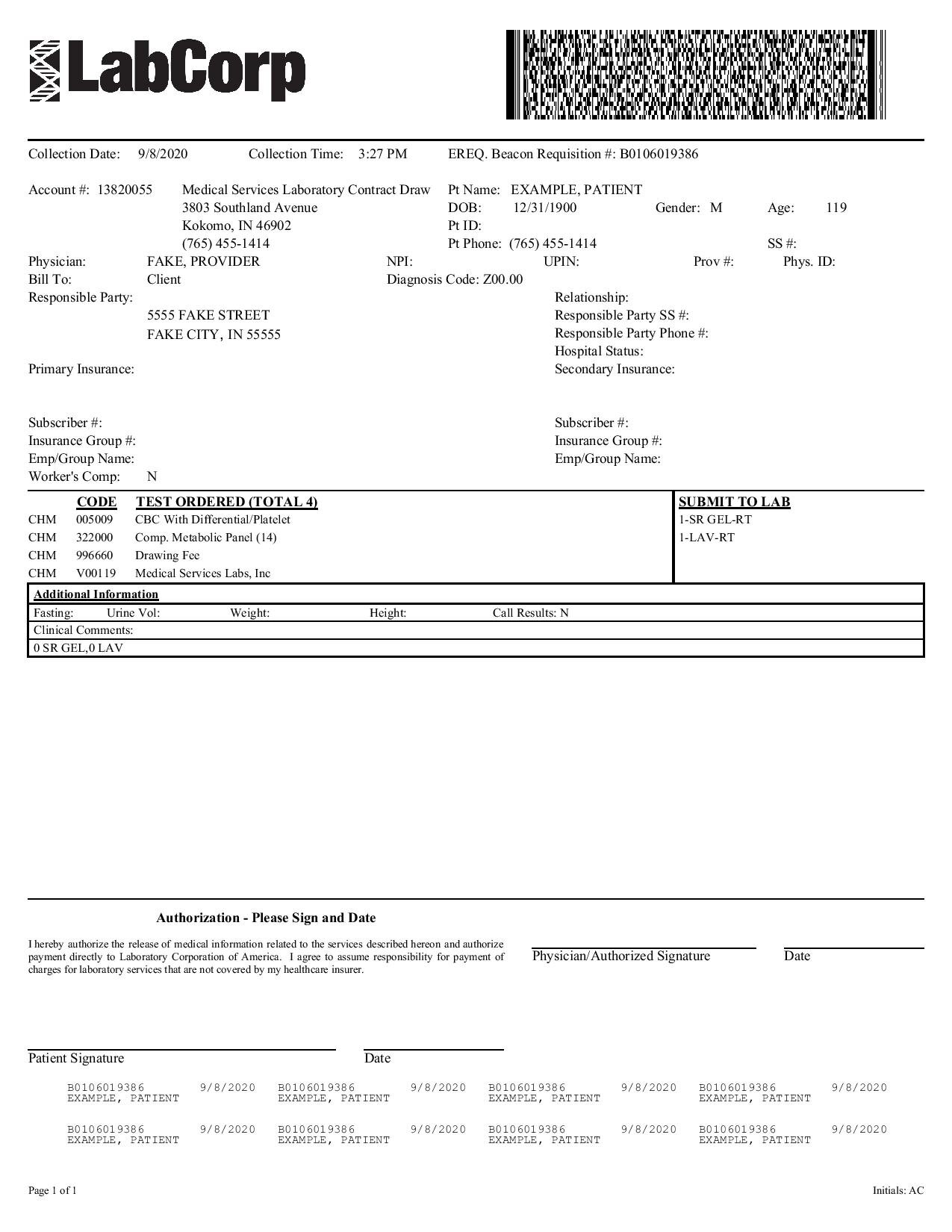
- Verify identity through automated knowledge-based authentication questions or by entering a secure activation code provided on a recent visit receipt or physician requisition form.
- Create secure login credentials, establishing a complex password and configuring multi-factor authentication preferences via SMS or authenticator application.
| Registration Method | Required Information | Processing Time | Primary Benefit |
|---|---|---|---|
| Online Self-Registration | Demographics, Email, Mobile Phone | Instant | Immediate access to general account features |
| Visit-Based Activation | Receipt Barcode, Date of Birth | Instant | Direct linking to specific recent lab encounters |
| Customer Support Assisted | Government ID, Verbally Verified Data | 24-48 Hours | Resolves complex account merging or identity blocks |
Scheduling Appointments and Preparing for Laboratory Visits
Efficient use of Labcorp patient services begins before arriving at a physical patient service center (PSC). Utilizing online appointment schedulers reduces wait times and ensures appropriate preparation for specific diagnostic orders.
Prior to booking, patients should review their physician's orders for specific instructions, such as fasting requirements. Many metabolic panels, lipid profiles, and glucose tolerance tests require complete fasting for 8 to 12 hours prior to blood collection. Water is typically permitted and encouraged, but black coffee, tea, and caloric substances must be avoided unless explicitly directed otherwise by a clinician.
- Search for the nearest Labcorp patient service center using the online locator tool, filtering for specific service capabilities such as pediatric phlebotomy, glucose tolerance testing, or routine blood draws.
- Select an available time slot and link the visit directly to an existing physician order if the digital system permits pre-population.
- Bring a physical copy of the insurance card, a government-issued photo ID, and the physical physician's order form, even if the ordering doctor transmitted the requisition electronically.
- Arrive approximately 10 to 15 minutes prior to the scheduled appointment time to complete check-in procedures via the self-service kiosk or front desk reception.
Accessing, Interpreting, and Managing Laboratory Results
The primary utility of the Labcorp patient platform lies in the retrieval and longitudinal review of diagnostic data. Most routine test results are processed and posted to the portal within 24 to 72 hours, though specialized genetic, pathology, or cytology assays may take significantly longer.
When reviewing results, patients encounter numerical values, reference ranges, and analytical flags (such as High, Low, or Critical). Reference ranges represent the span of values expected in a healthy reference population, though individual clinical context dictates the true interpretation of any diagnostic data point.
Clinical Context and Interpretation Notice Understanding Reference Ranges: Diagnostic values falling outside standard reference ranges do not automatically indicate pathology. Variations occur based on age, sex, biological factors, medications, and underlying health status. Always discuss specific lab results with the ordering physician who possesses the comprehensive clinical picture.
Patients can download comprehensive health summaries in standard PDF formats to share with specialists or maintain personal health archives. Furthermore, integration with electronic health record (EHR) aggregation tools, such as Apple Health, allows individuals to consolidate their Labcorp diagnostic data alongside records from other healthcare networks.
Financial Management, Billing, and Insurance Integration
Managing the financial aspects of diagnostic testing through the Labcorp patient portal simplifies the review of statements, insurance claim statuses, and payment processing.
Labcorp works with a vast array of commercial insurance providers, Medicare, and Medicaid plans. However, coverage specifics depend heavily on individual policy terms, deductibles, and network participation agreements. Patients can utilize the billing section of the portal to verify that accurate insurance information is on file, view itemized statements, and monitor the progress of claims processing.
- Insurance Verification: Review primary and secondary insurance details within the billing profile prior to testing to minimize billing discrepancies and out-of-pocket exposure.
- Payment Processing: Utilize secure credit card, debit, or health savings account (HSA/FSA) payment gateways to settle outstanding balances directly through the portal interface.
- Financial Assistance: Explore structured payment plans or hardship assistance programs available through Labcorp billing support services for eligible uninsured or underinsured patients.
Troubleshooting Common Access and Technical Issues
Technical hurdles occasionally impede access to the Labcorp patient platform. Addressing these common failure points quickly restores functionality and ensures uninterrupted access to medical records.
Forgotten passwords represent the most frequent access barrier. Utilizing the self-service password reset feature requires access to the verified email address or mobile phone number associated with the account. If multi-factor authentication devices are lost or replaced, contacting Labcorp patient technical support is necessary to verify identity and re-establish secure access channels.
Browser compatibility issues can also prevent secure portal loading. Clearing browser caches, disabling aggressive ad-blockers, or switching to an officially supported modern browser (such as the latest iterations of Google Chrome, Apple Safari, or Microsoft Edge) typically resolves rendering errors. For persistent application crashes on mobile devices, completely uninstalling and reinstalling the official Labcorp app forces an update to the latest software build.
Frequently Asked Questions
How quickly will my lab results appear in the Labcorp patient portal?
Most routine diagnostic test results are available within 24 to 48 hours of specimen collection. Complex, specialized, or send-out tests may require 7 to 14 business days for complete processing and physician review clearance.
Can I access lab results for my minor children through my account?
Yes, parents or legal guardians can manage access for minors through proxy accounts established within the platform. Specific age restrictions and state privacy laws dictate proxy access termination once a minor reaches the age of majority (typically 18 years old).
What should I do if my lab results show values outside the normal reference range?
Contact the physician who ordered the tests to discuss abnormal findings in the context of your overall health history. Do not alter medications or discontinue prescribed treatments based solely on portal data without clinical guidance.
Why is my insurance billing showing a balance despite having active coverage?
Insurance processing delays, unfulfilled deductibles, or services deemed non-covered by specific policy terms frequently cause out-of-pocket balances. Review your Explanation of Benefits (EOB) from your insurance provider alongside your Labcorp statement for precise reconciliation details.
How do I update my personal contact information or legal name on my account?
Basic contact details can be modified directly within the profile settings of the portal. Updating a legal name change typically requires submitting formal documentation, such as a marriage certificate or court order, through customer support channels to maintain medical record integrity.
Conclusion
Mastering the Labcorp patient portal ensures efficient management of diagnostic health data, streamlined appointment scheduling, and clear financial oversight. By maintaining updated account credentials, preparing adequately for physical collection visits, and reviewing results in active partnership with healthcare providers, patients can leverage these digital tools to optimize their ongoing wellness journeys.
Image Gallery