Best iOS Keyboard 2026: Top-Rated Options for Efficiency, Privacy, and AI Integration
In 2026, the best iOS keyboard for most users is Microsoft SwiftKey due to its advanced Copilot AI integration and superior multilingual predictive text. For users deeply embedded in the Google ecosystem, Gboard remains the premier cho...
In 2026, the best iOS keyboard for most users is Microsoft SwiftKey due to its advanced Copilot AI integration and superior multilingual predictive text. For users deeply embedded in the Google ecosystem, Gboard remains the premier choice, while the native Apple keyboard offers the most seamless, privacy-centric experience for standard typing and system-wide integration.
Contents
Choosing a third-party keyboard for your iPhone or iPad in 2026 involves more than just selecting a different color theme. With the maturation of Apple Intelligence and the widespread adoption of Large Language Models (LLMs) within mobile interfaces, keyboards have evolved into proactive digital assistants. Whether you are looking to accelerate your professional communication, enhance your privacy, or leverage generative AI to rewrite your emails on the fly, the current landscape offers specialized tools tailored to every specific user need.
The Evolution of iOS Input: Why Third-Party Keyboards Matter in 2026
Since Apple first allowed third-party keyboards with iOS 8, the technology has transitioned from simple "skinning" apps to complex productivity hubs. In 2026, these applications utilize the latest iOS 19 and iOS 20 APIs to provide low-latency haptic feedback and deep integration with system-wide features like Live Text and Dynamic Island notifications.
The primary motivation for switching from the native keyboard today is often the desire for better predictive accuracy or specialized features that Apple has yet to prioritize. While the stock iOS keyboard has improved its "Autocorrect" using on-device transformer models, third-party developers have pushed the boundaries with cloud-assisted predictions, gesture-based shortcuts, and built-in translation engines that operate in real-time within any messaging app.
Understanding the "Full Access" Requirement
When you install a third-party keyboard in 2026, iOS still presents a warning regarding "Allow Full Access." It is critical to understand that this permission is necessary for the keyboard to communicate with the internet (for features like cloud-syncing your personal dictionary or using AI-powered search) and to access other apps. Trusted developers like Microsoft and Google have rigorous privacy frameworks, but users should always remain cautious with smaller, unverified developers who may log keystrokes for data harvesting.
Comprehensive Analysis of the Leading iOS Keyboards in 2026
The market has consolidated around a few major players, each serving a distinct niche within the productivity and communication sectors. Below is a detailed look at the top contenders currently dominating the App Store.
Microsoft SwiftKey: The AI Powerhouse
Microsoft SwiftKey has reclaimed the top spot in 2026 by fully integrating its Copilot AI directly into the typing interface. This allows users to change the tone of their messages—from professional to casual—without leaving the app.
Key Feature: Adaptive Learning Engine SwiftKey’s primary strength is its ability to learn your unique slang, nicknames, and emoji usage patterns. In 2026, this engine utilizes decentralized learning, meaning it improves based on your typing habits while keeping the core data encrypted on your device.
- Pros: Exceptional swipe-to-type (Flow) accuracy; built-in DALL-E 3 image generation for custom stickers; robust support for over 700 languages.
- Cons: Higher battery consumption due to AI processing; requires a Microsoft account for the best cloud-sync features.
Gboard: The Google Ecosystem Hub
Google’s Gboard remains the most versatile keyboard for users who rely on Google Search, Maps, and Translate. In 2026, the integration is even more seamless, allowing you to share restaurant locations or YouTube videos directly from the keyboard tray.
- Search Integration: Perform Google searches without switching apps, a feature that remains a massive time-saver for researchers and social planners.
- Google Translate: Real-time translation as you type is now more accurate than ever, supporting offline modes for frequently used language pairs.
- Voice Typing: Leveraging Google’s superior speech-to-text algorithms, Gboard offers the most reliable hands-free experience on iOS.
Grammarly: The Professional Standard
For those who use their iPhone for business communications, Grammarly is the indispensable choice. Moving beyond simple spell-check, the 2026 version of the Grammarly keyboard provides "Contextual Clarity" scores.
Advanced Composition Tools The keyboard analyzes the intent of your writing. If it detects a formal email, it suggests more professional synonyms and alerts you if your tone sounds inadvertently aggressive or overly passive.
Typewise: The Privacy and Ergonomics Specialist
Typewise addresses two major issues: typos and privacy. By utilizing a unique hexagonal layout designed specifically for two-thumb typing on mobile screens, it claims to reduce typos by up to 80%.
- Privacy First: Unlike its competitors, Typewise is designed to work 100% offline. No typing data is ever transmitted to the cloud, making it the highest-rated keyboard for security-conscious users in 2026.
- Gesture Controls: Swipe up to capitalize, swipe left to delete; once mastered, these gestures significantly increase words-per-minute (WPM) speeds.
Technical Comparison of Top iOS Keyboards (2026 Metrics)
The following table compares the essential metrics for the leading keyboards available on the App Store as of mid-2026.
| Keyboard Name | Primary Focus | AI Capability | Privacy Level | Multilingual Support | Price Model |
|---|---|---|---|---|---|
| Microsoft SwiftKey | Productivity / AI | High (Copilot) | Medium (Cloud Sync) | Excellent (700+) | Free |
| Gboard | Utility / Google | High (Gemini Lite) | Medium (Data Mining) | Great (500+) | Free |
| Grammarly | Accuracy / Professional | Medium (Editor AI) | High (Encrypted) | Good (English Focus) | Freemium |
| Typewise | Privacy / Speed | Low (On-device) | Maximum (Offline) | Good (40+ languages) | Freemium |
| Fleksy | Customization | Low (Legacy) | Medium (Local) | Good (80+) | Free / IAP |
| Native iOS | System Stability | High (Apple Intel.) | Maximum (Secure Enclave) | Great (System-wide) | Included |
Critical Technical Standards for Keyboards in 2026
When evaluating these tools, users must look for adherence to modern technical standards that ensure both performance and longevity.
- Haptic Engine Integration: Top-tier keyboards must utilize the iPhone's Taptic Engine to provide distinct tactile feedback. This reduces the cognitive load of typing on glass by mimicking the "click" of a physical key.
- On-Device Processing: With the rise of the A19 and A20 Bionic chips, keyboards should perform autocorrect and word prediction locally to minimize latency and improve battery life.
- Low Latency (Input Lag): In 2026, any keyboard with an input lag exceeding 15 milliseconds is considered suboptimal. Performance-focused users should check reviews for "ghosting" or lag during rapid typing.
- AES-256 Encryption: For keyboards that sync dictionaries across devices (like SwiftKey or Gboard), end-to-end encryption is the industry standard to prevent sensitive data leaks.
Step-by-Step: How to Install and Optimize a New iOS Keyboard
The process for enabling a third-party keyboard has been streamlined in recent iOS updates. Follow these steps to ensure a proper setup:
- Download the App: Install your chosen keyboard from the Apple App Store.
- Navigate to Settings: Go to Settings > General > Keyboard > Keyboards.
- Add New Keyboard: Select Add New Keyboard... and choose the app you just downloaded under the Third-Party Keyboards section.
- Enable Full Access: Tap the newly added keyboard name and toggle on Allow Full Access. This is necessary for AI features and custom themes to function.
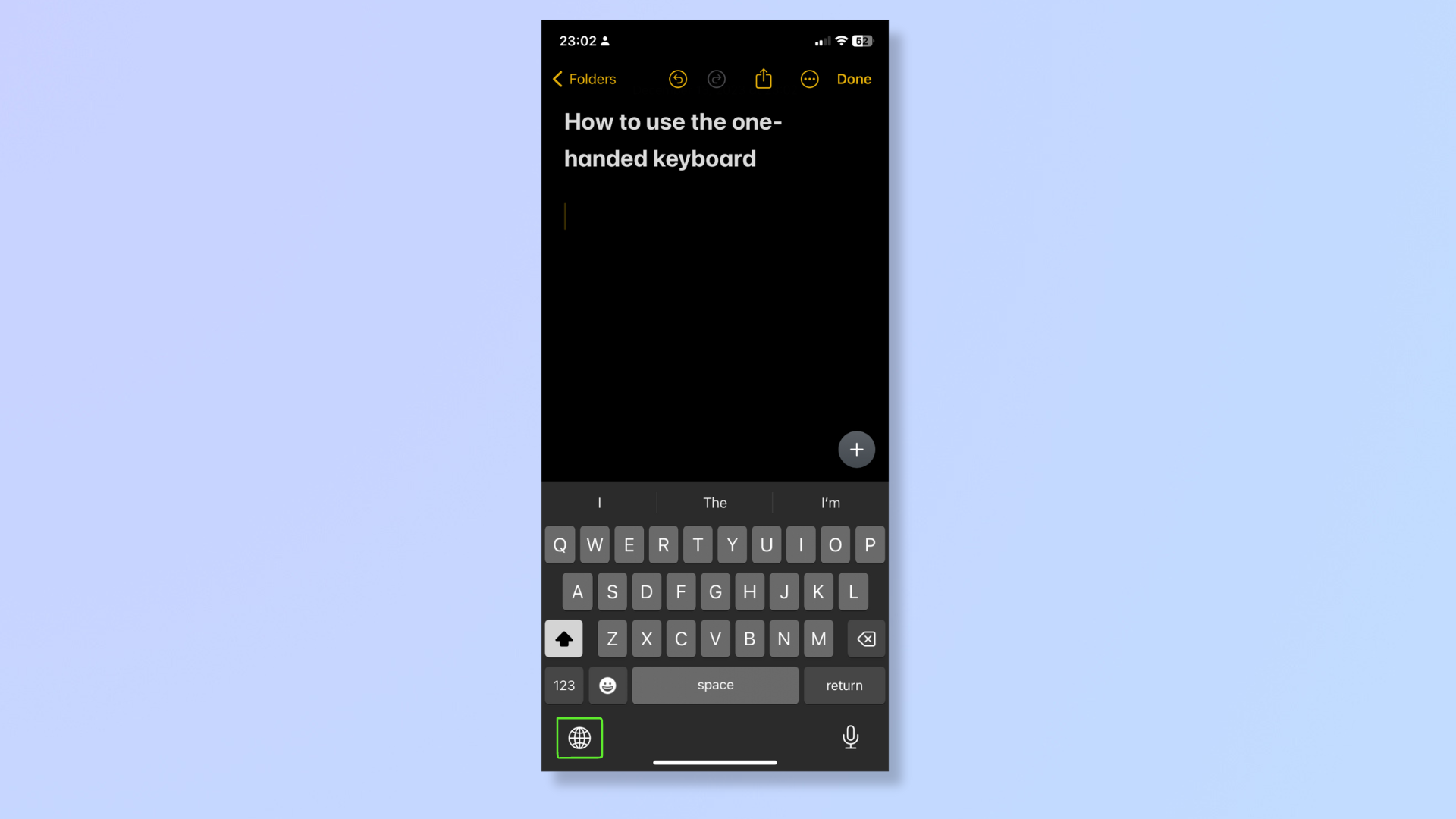
- Switch Keyboards: Open any app (like Messages), tap and hold the Globe or Emoji icon in the bottom-left corner, and select your new keyboard from the list.
Troubleshooting Common Issues with iOS Keyboards
Even in 2026, third-party software can occasionally encounter glitches within the iOS ecosystem.
- Keyboard Disappearing or Reverting to Native: This often happens if the iOS system detects the third-party app is consuming too much memory. To fix this, ensure you have the latest update for both the app and iOS. Clearing the app's cache within its own settings can also help.
- Haptic Feedback Not Working: First, check if Haptic Feedback is enabled in the keyboard app's settings. Then, ensure that System Haptics is turned on in Settings > Sounds & Haptics.
- Predictions Not Improving: If a keyboard isn't learning your style, ensure that "Personalization" or "Cloud Learning" is enabled. For privacy-focused apps like Typewise, you may need to manually "star" or save certain words to the dictionary.
Expert Insight: Balancing AI Benefits with Battery Health
In 2026, the biggest trade-off for using advanced keyboards like SwiftKey or Gboard is battery consumption. Generative AI features, while powerful, require significant CPU/GPU cycles.
Optimization Tip: Manage Your AI Usage If you notice your iPhone battery draining faster than usual, go into your keyboard settings and disable "Real-time AI Suggestions" or "Background Sync." You can still use the core typing features without the heavy background processing of LLMs. For maximum efficiency, use the native iOS keyboard for short texts and switch to Grammarly or SwiftKey only for long-form composition.
Frequently Asked Questions
Which iOS keyboard is best for privacy in 2026?
Typewise and the native Apple keyboard are the best for privacy. Typewise is unique because it operates entirely offline, meaning your keystrokes never leave your device, which is the gold standard for data security.
Can I use Gboard's Google Search without giving it Full Access?
No, Gboard requires "Full Access" to communicate with Google's servers. Without this permission, it cannot perform searches, provide real-time translations, or sync your personalized dictionary across devices.
Does the 2026 native Apple keyboard support swipe typing?
Yes, Apple's "QuickPath" swipe typing is fully supported on both iPhone and iPad (via the floating keyboard) in 2026. While it is highly accurate, it lacks some of the advanced gesture shortcuts found in SwiftKey or Fleksy.
Is Grammarly Premium worth it for the iOS keyboard?
For professional editors, students, and corporate executives, the answer is generally yes. In 2026, the Premium version offers advanced "Tone Rewriting" and plagiarism checks directly within the keyboard, which can significantly enhance the quality of mobile communication.
Why does my third-party keyboard feel slower than the Apple keyboard?
Native apps have priority access to system resources. While third-party keyboards have improved significantly, they still operate as separate processes. If you experience lag, try reducing the number of active languages or disabling complex animated themes.
Final Recommendations for 2026
The "best" keyboard is ultimately defined by your specific use case. If you want the most powerful assistant available, Microsoft SwiftKey is the undisputed leader in 2026. If you are looking for a tool that helps you write better professional emails on the go, Grammarly is the essential choice. For those who want the fastest possible typing speed once the learning curve is overcome, Typewise offers a revolutionary approach that traditional QWERTY layouts cannot match.
Regardless of your choice, remember to periodically review the permissions you have granted to these apps to ensure your data remains secure in an increasingly AI-driven mobile world.
Image Gallery