The Best To Do List Apps for iPhone in 2026: A Technical Performance Evaluation
Choosing the best to do list app for iPhone in 2026 requires balancing native Apple ecosystem integration against cross-platform accessibility and advanced task management features. For most users, the optimal choice depends on whether...
Choosing the best to do list app for iPhone in 2026 requires balancing native Apple ecosystem integration against cross-platform accessibility and advanced task management features. For most users, the optimal choice depends on whether you prioritize Apple Watch synchronization, natural language processing for rapid entry, or project management capabilities like Kanban boards and Gantt charts.
Contents
Evaluating Task Management Architecture on iOS
Modern task management applications on iOS are no longer mere digital checklists. In 2026, the competitive landscape is defined by the integration of local machine learning (ML) models, iCloud synchronization efficiency, and deep interaction with the iOS WidgetKit and Shortcuts framework. When evaluating these applications, you must consider how they handle data persistence and background synchronization.
An application's performance on iPhone is fundamentally tied to its adoption of Apple’s latest APIs. Apps that leverage the Core Data framework for local storage provide superior offline performance compared to those relying solely on web-view wrappers. Furthermore, the ability to utilize "Focus Filters" and "Live Activities" distinguishes top-tier professional tools from basic reminder utilities.
Key Technical Criteria for Selection
To determine which app suits your specific workflow, you must analyze your requirements against four critical technical pillars:
- Data Portability and Sync: The app must support bidirectional synchronization across iPhone, iPad, and Mac. The gold standard in 2026 is end-to-end encryption (E2EE) for task data to ensure privacy.
- Natural Language Processing (NLP): High-efficiency apps allow you to type "Review report at 3pm tomorrow" and automatically parse the date, time, and priority levels without manual menu navigation.
- iOS System Integration: A premium app must feature an interactive Home Screen widget, Lock Screen support for quick actions, and deep Siri integration to facilitate hands-free task capture.
- Automation Hooks: Support for the Shortcuts app allows users to create complex workflows, such as automatically pulling tasks from email attachments or triggering reminders based on geofencing.
Comparative Analysis of Leading iOS Task Managers
The following table compares the current market leaders based on their primary use cases and technical capabilities as of early 2026.
| Feature / App | Apple Reminders | Todoist | Things 3 | TickTick |
|---|---|---|---|---|
| Primary Focus | Native Integration | Versatility | Design & UX | Feature Density |
| NLP Input | Basic | Advanced | Moderate | Advanced |
| Cross-Platform | Apple Only | Universal | Apple Only | Universal |
| Widget Quality | Excellent | Very Good | Outstanding | Good |
| Subscription Cost | Free | Tiered | One-time | Tiered |
Deep Dive into Application Profiles
Apple Reminders: The Baseline Standard
Apple Reminders remains the most stable choice due to its native integration with iOS. Because it sits at the system level, it enjoys lower battery consumption and zero latency compared to third-party apps. It supports collaborative lists via iCloud, which is ideal for household management, though it lacks the sophisticated project management tags found in dedicated productivity suites.
Todoist: The Cross-Platform Powerhouse
Todoist continues to lead in cross-platform availability. Its 2026 update cycle introduced enhanced AI-assisted task decomposition, which breaks down large projects into actionable sub-tasks. It is the premier choice for professionals who switch between Windows, Android, and iOS devices throughout the day.
Things 3: The Design-Led Experience
Things 3 is widely regarded for its adherence to Apple’s Human Interface Guidelines. It provides a tactile, "hand-crafted" experience that simplifies task management into distinct areas of responsibility. While it lacks some of the complex collaborative features of competitors, its focus on individual productivity remains unmatched for power users within the Apple ecosystem.
TickTick: The All-In-One Productivity Suite
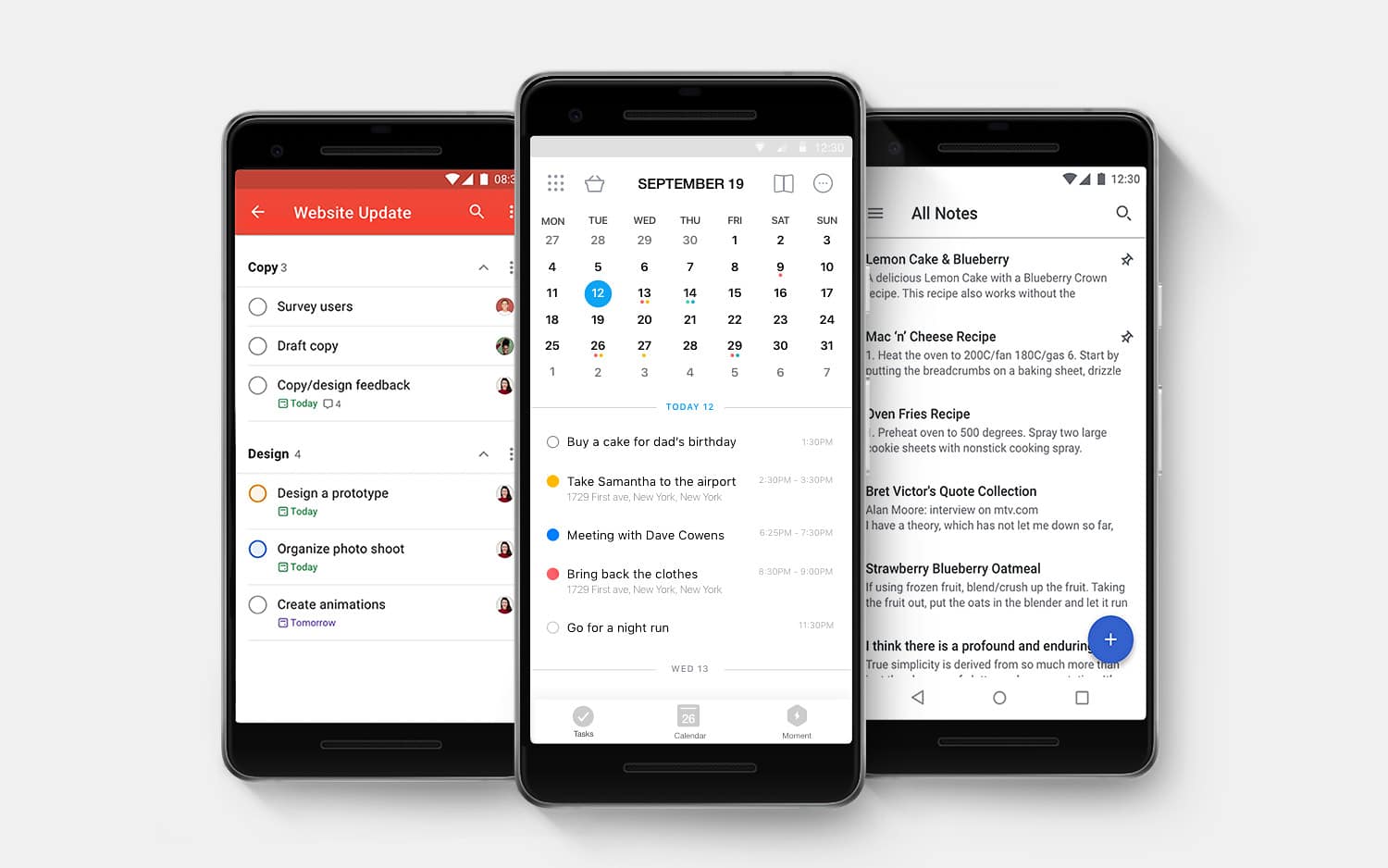
TickTick distinguishes itself by integrating a Pomodoro timer, habit tracker, and calendar view directly into the task manager. For users who prefer a single application to manage their entire work-life balance, the inclusion of time-blocking features makes it a highly efficient tool for managing complex daily schedules.
Optimizing Your iOS Workflow
To maximize the efficacy of your chosen app, implement the following configuration strategies:
- Utilize Focus Modes: Configure your task app to display only "Work" tags during your scheduled Work Focus time. This prevents personal tasks from cluttering your view during business hours.
- Automate Task Capture: Use the iOS "Share Sheet" to send emails, articles, or website links directly into your task manager. This ensures your inbox doesn't become a secondary, unorganized to-do list.
- Establish Weekly Reviews: Regardless of the app chosen, the software is only as effective as your habit. Use a recurring Saturday or Sunday task to archive completed items, review upcoming deadlines, and reorganize your project structure.
- Manage Notifications Strategically: Excessive reminders lead to notification fatigue. Configure your app to provide only time-sensitive notifications on your Lock Screen, while using widgets to check non-urgent tasks at your convenience.
Frequently Asked Questions
Which task app is best for privacy? Apple Reminders is generally considered the most privacy-focused for individual users because data remains within your iCloud container and is subject to Apple’s end-to-end encryption standards. For those who require E2EE across non-Apple devices, apps like TickTick offer robust encryption protocols for their paid subscriber tiers.
Can I move my data between these apps? Most task managers support importing from CSV or standard formats like iCal/ICS. However, moving complex project hierarchies, nested sub-tasks, and shared lists is rarely a one-click process. Before migrating your entire system, perform a limited test export and import to verify how your metadata, such as tags and due dates, is preserved.
Are paid subscriptions necessary in 2026? While free versions of these apps suffice for basic reminders, the advanced features that make these tools "best-in-class"—such as advanced filtering, project templates, AI task decomposition, and historical data analytics—are almost exclusively gated behind monthly or annual subscription models.
How do I integrate my calendar with my task list? The most effective method is using a provider that supports CalDAV sync. This allows your tasks to appear as blocks on your calendar. Todoist and TickTick offer native two-way synchronization, while Apple Reminders can be viewed within the Apple Calendar app by toggling the visibility of your Reminders lists.
What is the impact of task apps on battery life? Apps that rely on frequent background synchronization or live tracking (like location-based reminders) consume more power. To preserve battery, limit the number of apps allowed to refresh in the background via iOS Settings, and ensure that location-based triggers are only used for the most critical, high-priority tasks.
Strategic Selection for Long-Term Productivity
Your success in task management is not defined by the application you purchase, but by the consistency of your methodology. If you reside entirely within the Apple ecosystem, start with Apple Reminders. If your requirements involve complex, cross-platform professional collaboration, transition to a specialized tool like Todoist or TickTick. Evaluate your needs over a 30-day trial period, focusing on how easily you can capture a task in under five seconds, as this is the most critical metric for long-term adherence to any system.
Image Gallery