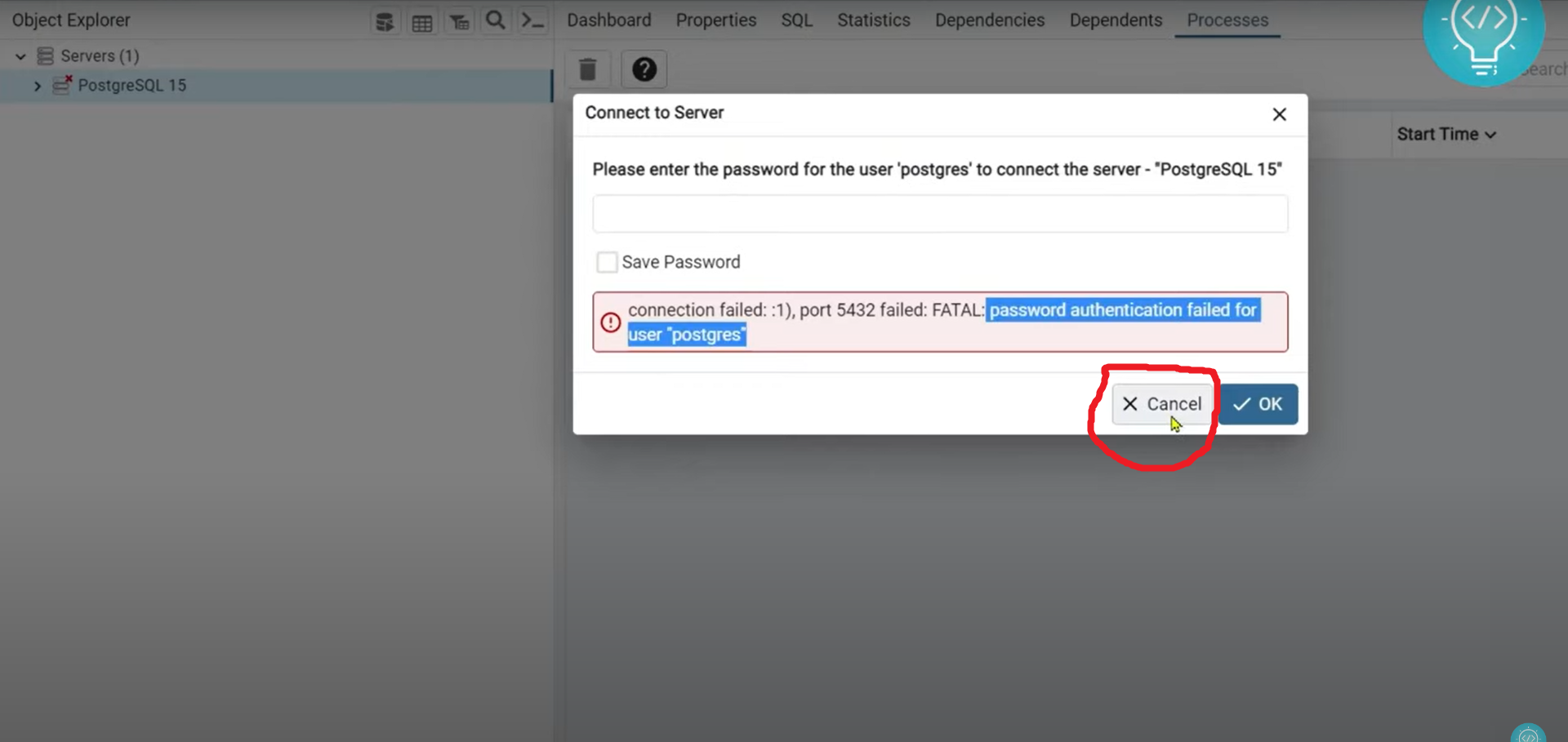
How to Reset a PostgreSQL User Password: A Comprehensive Guide
Resetting a PostgreSQL user password is a standard administrative task essential for maintaining database security and access control. Whether you are an administrator recovering an account or a developer rotating credentials, the proc...
Resetting a PostgreSQL user password is a standard administrative task essential for maintaining database security and access control. Whether you are an administrator recovering an account or a developer rotating credentials, the process involves executing specific SQL commands through the PostgreSQL command-line interface, psql, or by modifying the pg_hba.conf file if you have lost superuser access entirely.
Contents
Understanding PostgreSQL Authentication and Access
PostgreSQL manages user authentication through a combination of internal role-based access control and host-based authentication files. When a user forgets their password or a service account requires a credential update, the complexity of the solution depends heavily on your current privilege level.
If you possess a superuser account (typically the postgres role) or have access to the server with appropriate OS-level permissions to bypass authentication, resetting a password is a direct operation. However, PostgreSQL takes security seriously; by design, the database does not allow you to "retrieve" an existing password because passwords are stored as salted hashes. You can only set a new password, effectively overwriting the old one.
Prerequisites for Password Reset
Before attempting a reset, ensure you have the following prerequisites met:
- Access to the CLI: You must have access to the server terminal or a remote shell where
psqlis installed. - Sufficient Privileges: You generally need to be authenticated as a superuser or the user whose password you intend to change.
- Database Connectivity: The PostgreSQL service (
postgresql.service) must be running and accepting connections. - Knowledge of the Username: You must identify the exact role name (case-sensitive) within the database system.
Method 1: Resetting via psql (If You Have Superuser Access)
If you can successfully log in as a superuser, the most efficient method is using the psql interactive terminal. This method updates the system catalog directly.
Log in to the PostgreSQL instance: Open your terminal and run the following command to connect to the default database:
sudo -u postgres psqlExecute the ALTER ROLE command: Once inside the
psqlprompt, execute the following SQL command. Replaceyour_usernamewith the actual user role andnew_passwordwith your desired strong password:ALTER ROLE "your_username" WITH PASSWORD 'new_password';Verify the change: After running the command, you should see
ALTER ROLEas the output. You can then exit the terminal by typing\q.
Method 2: Resetting When Superuser Access is Lost
If you are locked out of your database entirely, you may need to temporarily alter the authentication method to bypass password requirements at the host level. This is a high-privilege administrative action.
Locate your
pg_hba.conffile: This file is typically located in your data directory (e.g.,/var/lib/postgresql/data/or/etc/postgresql/16/main/).Modify Authentication for Local Connections: Find the line that defines
localorhostconnections for thepostgresuser. Change the authentication method frommd5,scram-sha-256, orpeertotrust. Thetrustmethod allows anyone with OS access to the file to log in without a password.Restart PostgreSQL: Apply the changes by restarting the service:
sudo systemctl restart postgresqlReset the Password: Connect to the database as the superuser without a password requirement, perform the
ALTER ROLEcommand as shown in Method 1, and then immediately revert thepg_hba.conffile back to its original secure configuration (e.g.,scram-sha-256).Restart Service Again: Always restart the database service after modifying
pg_hba.confto ensure the security restrictions are re-applied.
Comparing PostgreSQL Authentication Methods
| Authentication Method | Security Level | Use Case |
|---|---|---|
trust |
Very Low | Temporary administrative recovery only. |
md5 |
Moderate | Legacy environments with older clients. |
scram-sha-256 |
High | Recommended standard for modern PostgreSQL. |
peer |
High (OS level) | Secure local socket connections on Unix systems. |
Best Practices for Credential Management
Managing database passwords in 2026 requires adherence to the principle of least privilege. Do not use the postgres superuser account for application-level connections. Instead, create dedicated application roles with granular permissions limited only to the schemas they require.
Furthermore, leverage environment variables or secure secret management services (such as HashiCorp Vault or cloud-native secret stores) rather than hardcoding passwords into application configuration files. If you find yourself frequently resetting passwords, this may indicate a lack of robust credential rotation workflows or excessive human access to production databases.
Troubleshooting Common Errors
- Peer authentication failed: This often occurs when you attempt to connect as a user that does not exist in the operating system. Ensure the database role exists.
- Role does not exist: Verify the spelling and case-sensitivity of the role name. PostgreSQL role names are case-sensitive if they were created with double quotes.
- Permission denied: If you cannot edit
pg_hba.conf, ensure you are usingsudoor have appropriate file system ownership permissions.
Frequently Asked Questions
Can I see my current password in the database? No. PostgreSQL stores passwords as one-way cryptographic hashes. There is no command or administrative method to decrypt or retrieve a password that has been set for a user. You can only reset it to a new value.
Does changing a password disconnect active sessions?
Changing a password using ALTER ROLE does not immediately terminate existing connections. The new password will be required for the next authentication attempt, whether it is a new connection or a re-authentication attempt by an existing client.
Is it safe to use the 'trust' method?
The trust method is inherently insecure because it assumes that anyone who can reach the database port or the local socket is authorized to connect. Use it only in isolated environments, and ensure it is disabled immediately after your recovery task is complete.
How do I enforce password complexity?
PostgreSQL does not have a built-in password policy engine that enforces complexity (like minimum length or character sets) out of the box. You should implement such requirements at the application level or use the passwordcheck extension, which allows administrators to define custom rules for password validation.
What is SCRAM-SHA-256? SCRAM-SHA-256 is a modern, cryptographically secure authentication mechanism introduced in PostgreSQL 10. It is resistant to man-in-the-middle attacks and should be the preferred authentication method for all installations in 2026.
Final Recommendation
Always document your credential management procedures. If you are managing multiple PostgreSQL instances, consider using configuration management tools like Ansible to automate the deployment of pg_hba.conf settings. For immediate password recovery, follow the psql method as your first option, and only resort to modifying configuration files if you are completely locked out. Once finished, audit your database access logs to ensure no unauthorized activity occurred during the recovery window.
Image Gallery