What Is an A7 II Lens? Complete Compatibility and Selection Guide
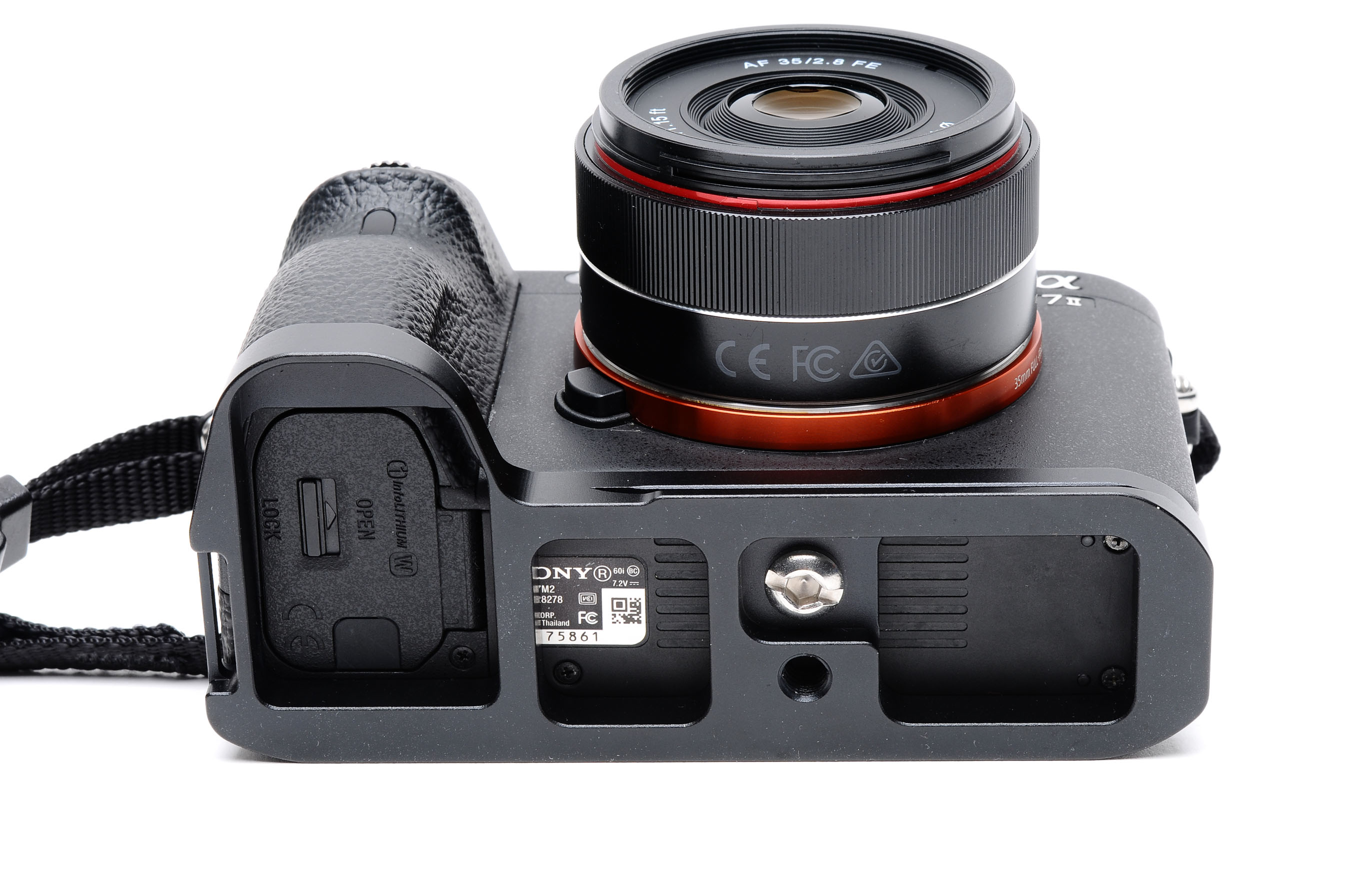
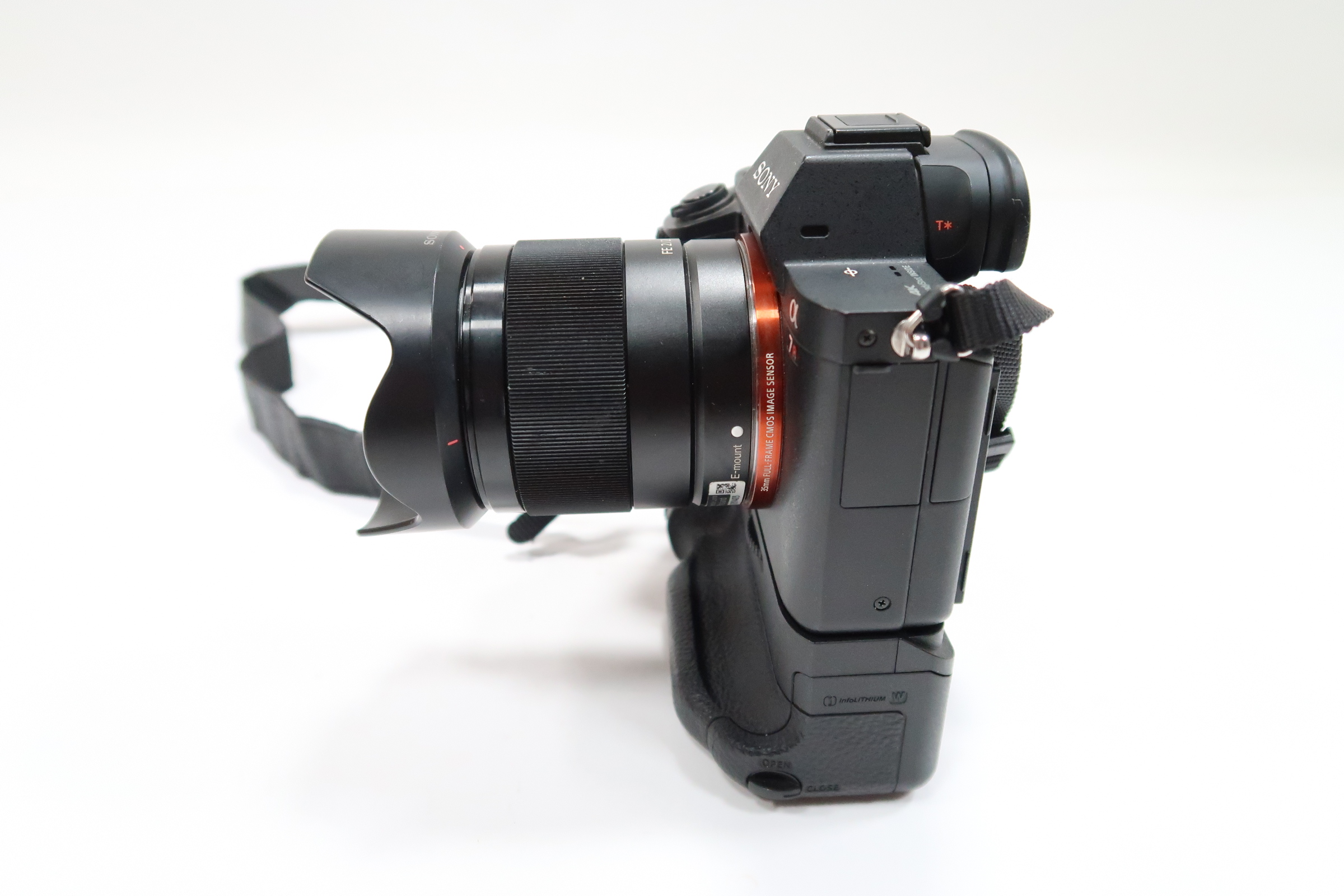
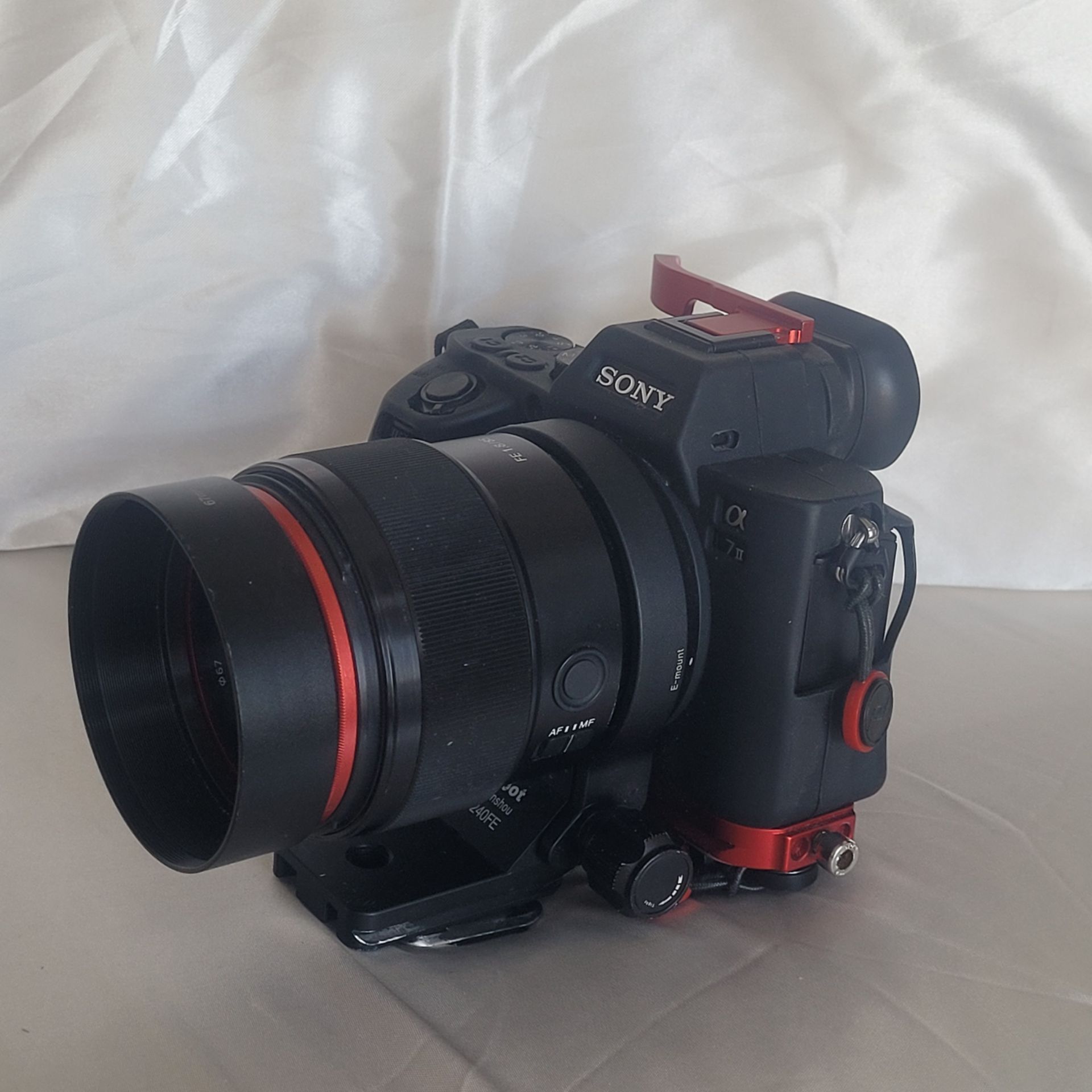
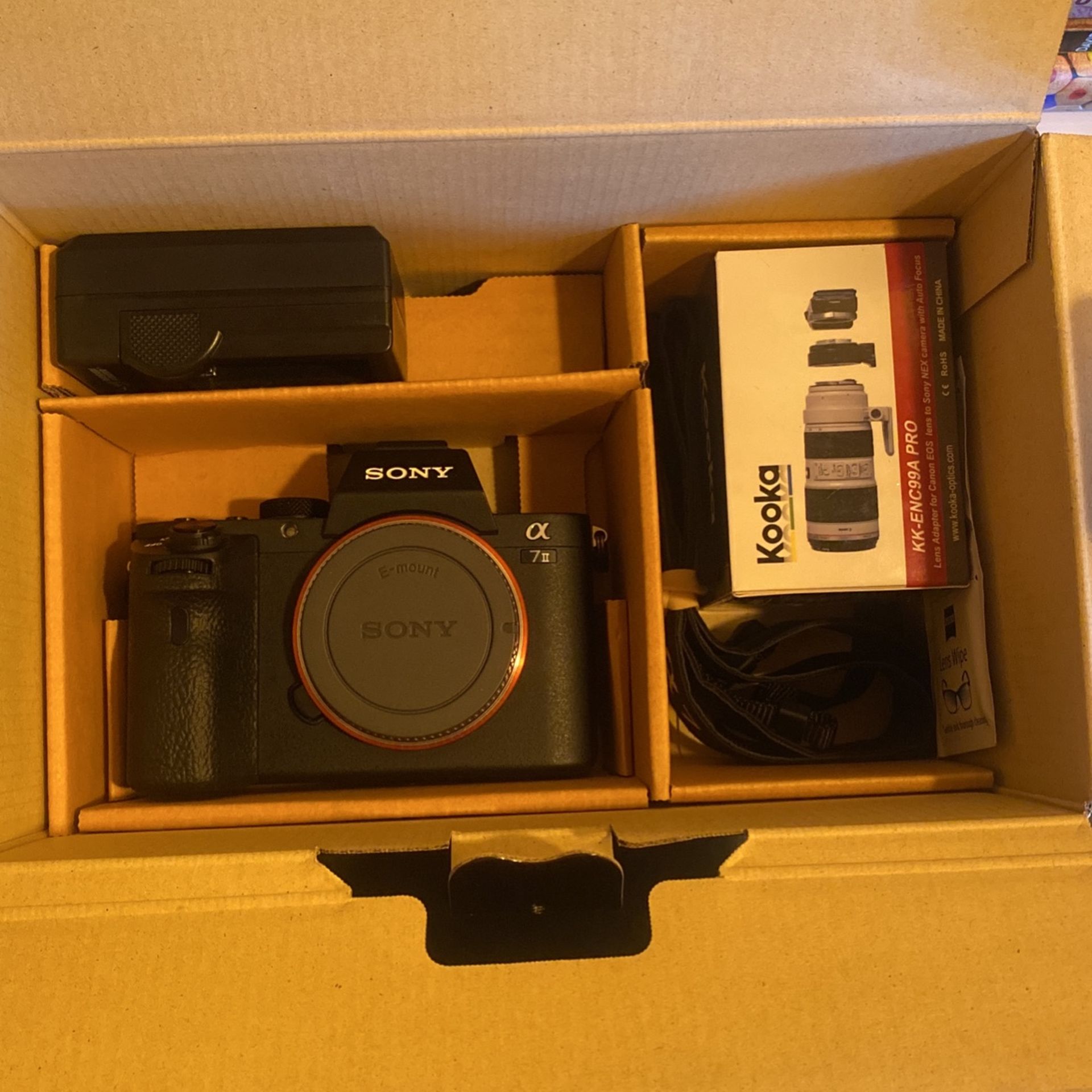
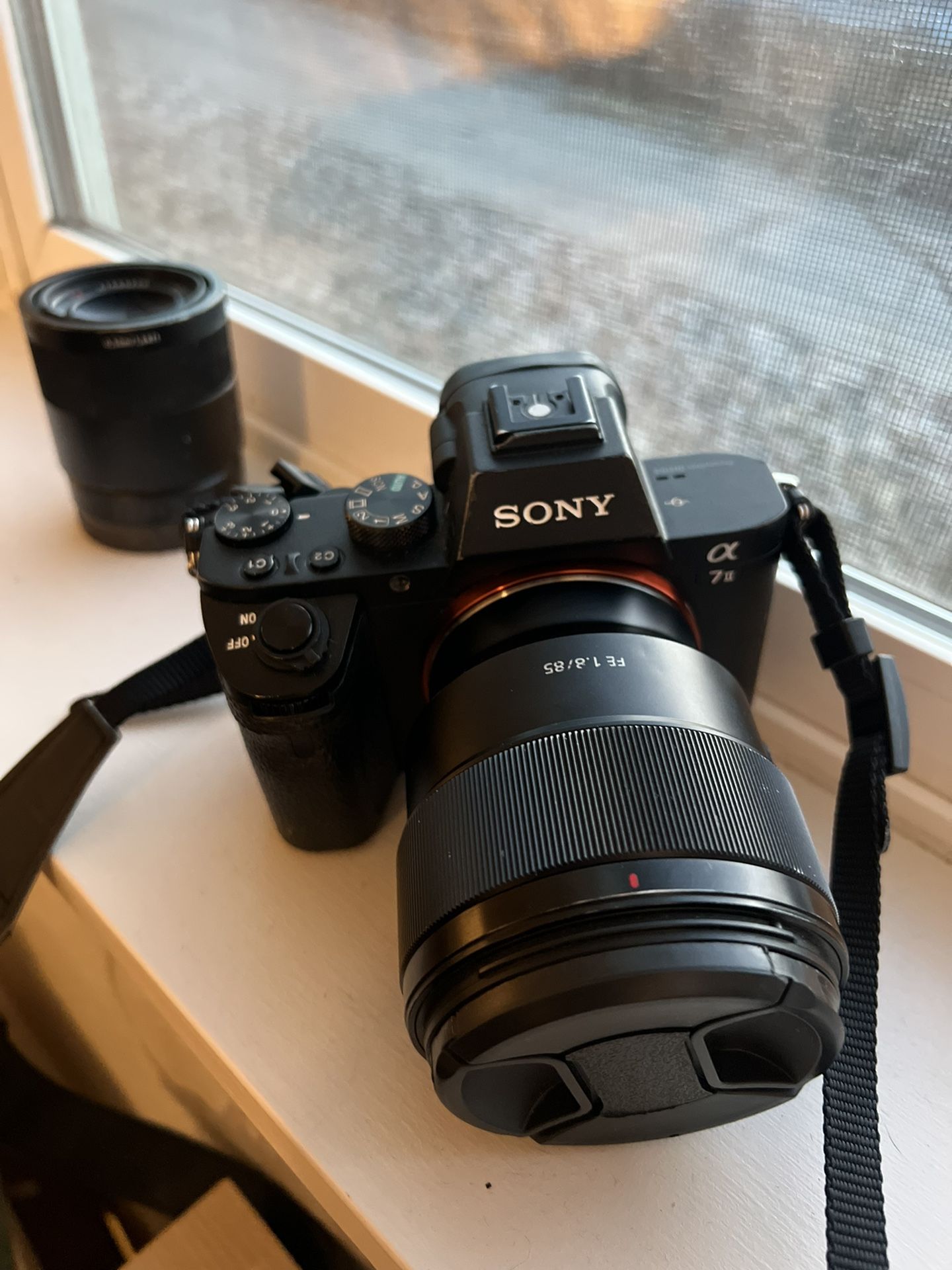
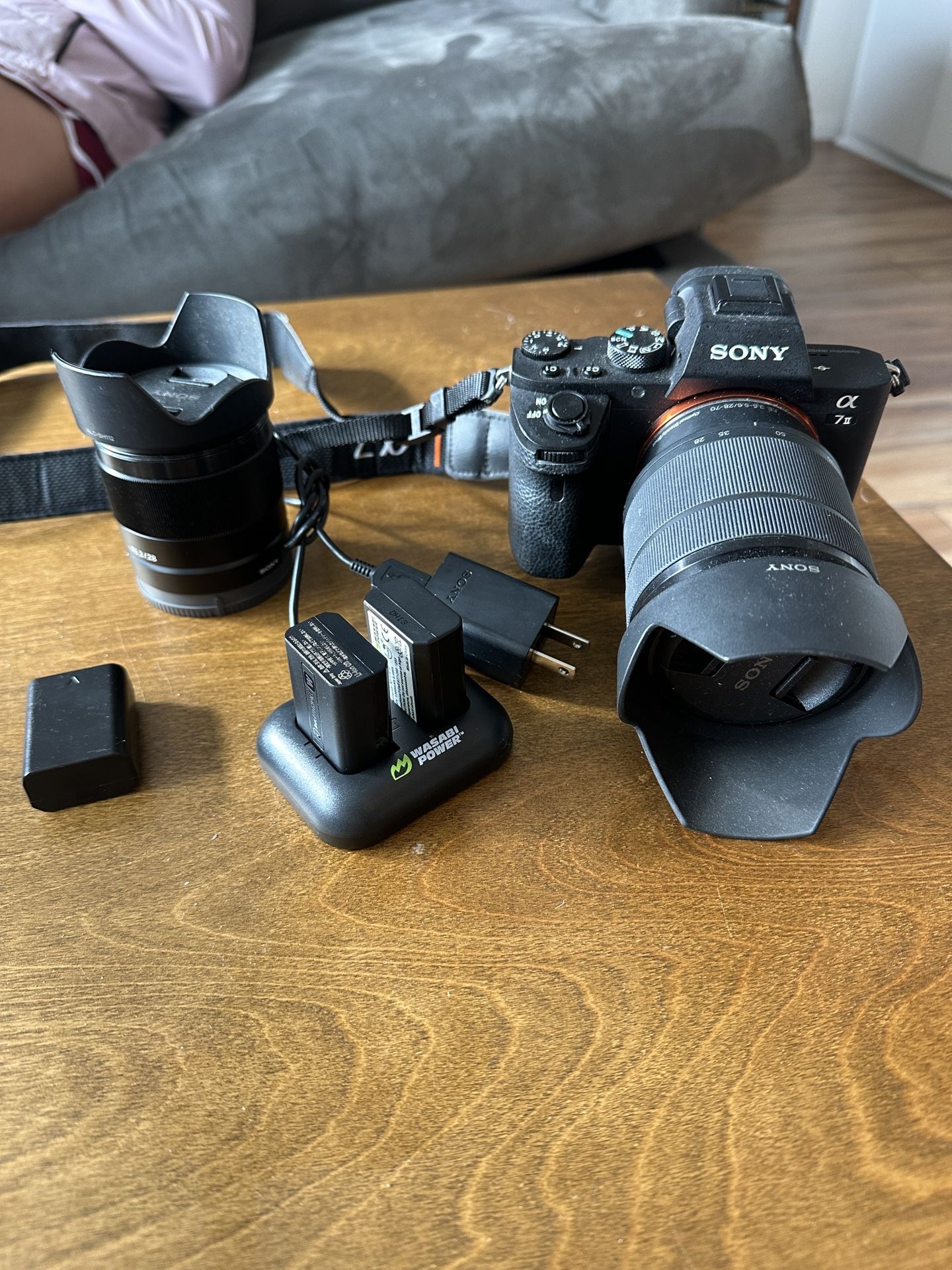
An A7 II lens is any camera lens compatible with the Sony Alpha 7 II (ILCE-7M2) full-frame mirrorless camera. The native optics for this camera use Sony’s full-frame E-mount, officially designated as FE lenses. The A7 II can also use A...
An A7 II lens is any camera lens compatible with the Sony Alpha 7 II (ILCE-7M2) full-frame mirrorless camera. The native optics for this camera use Sony’s full-frame E-mount, officially designated as FE lenses. The A7 II can also use APS-C E-mount lenses, older Sony A-mount lenses, and third-party optics using physical or electronic mount adapters.
Contents
Demystifying the Sony A7 II Lens System
To understand what constitutes an A7 II lens, you must first understand the Sony Alpha camera mount ecosystem. Sony produces interchangeable lens cameras across two primary sensor sizes—APS-C (crop sensor) and 35mm full-frame—and two physical mount standards: the legacy A-mount (designed for digital single-lens reflex cameras) and the modern E-mount (designed for mirrorless systems).
The Sony A7 II, released as part of Sony's second generation of full-frame mirrorless cameras, features a standard Sony E-mount physical opening. However, because it incorporates a 35mm full-frame image sensor (measuring approximately 35.8mm × 23.9mm), it requires lenses capable of casting an image circle large enough to cover that entire sensor area.
Sony uses specific nomenclature to distinguish its lens lines:
- FE Lenses (Full-Frame E-Mount): These are the true native lenses for the Sony A7 II. The "FE" designation indicates that the optical design produces a full 35mm image circle while using the physical mirrorless E-mount interface.
- E Lenses (APS-C E-Mount): Designed for Sony’s crop-sensor cameras (such as the a6000 series), these lenses feature the exact same physical mount as the A7 II but project a smaller image circle intended for APS-C sensors (23.5mm × 15.6mm).
While any physical Sony E-mount lens will attach to the front of an A7 II body, only FE-designated lenses (and third-party full-frame E-mount lenses) utilize the full resolution and physical surface area of the camera’s 24.3-megapixel full-frame sensor without cropping or vignetting.
Lens Compatibility Breakdown for the Sony A7 II
Camera owners have access to one of the largest optical catalogs in digital photography. Because the E-mount flange focal distance (the distance from the physical mount to the image sensor) is a shallow 18mm, the A7 II can adapt nearly any optical system with the appropriate hardware.
- Sony A7 II Body (E-Mount / Full-Frame Sensor)
- Native Full-Frame
- Sony FE Series
- Sigma DG DN (E-Mount)
- Tamron Di III (E-Mount)
- Samyang / Rokinon AF
- Adapted Optics
- Sony A-Mount (via LA-EA3/4/5)
- Canon EF (via Sigma MC-11 / Metabones)
- Vintage Manual Lenses (M42, Leica M, Nikon F)
- APS-C Sony E-Mount (Runs in Crop Mode)
- Native Full-Frame
1. Native Full-Frame E-Mount (Sony FE)
Native Sony FE lenses represent the optimal choice for the A7 II. They communicate seamlessly with the camera's internal processing engine, supporting full autofocus speed, automatic lens correction metadata (shading, chromatic aberration, and distortion), and full optical integration with the camera's image stabilization mechanism.
Sony produces several tiers of native FE lenses:
- Standard / Non-G Series: Affordable consumer- and mid-tier primes and zooms (e.g., Sony FE 50mm f/1.8, FE 28-70mm f/3.5-5.6 OSS).
- Sony G Series: High-performance optics focused on advanced optical clarity and robust build quality (e.g., Sony FE 20mm f/1.8 G, FE 24-105mm f/4 G OSS).
- Sony G Master (GM) Series: Sony’s flagship optic line featuring professional f/2.8 zoom lenses and ultra-fast prime optics engineered for maximum resolution and smooth rendering.
- Sony Zeiss (ZA) Series: Co-developed optics featuring Zeiss T* coatings and distinctive contrast characteristics (e.g., Sony Zeiss FE 55mm f/1.8 ZA).
2. Third-Party Native E-Mount Lenses
Independent optical manufacturers build lenses specifically designed for Sony's full-frame E-mount. These lenses mount directly to the A7 II without requiring an adapter and feature full electronic communication for autofocus and aperture control.
- Sigma DG DN Series: "DG" signifies full-frame coverage, while "DN" designates optics engineered exclusively for mirrorless short flange distances.
- Tamron Di III Series: "Di III" indicates Tamron's mirrorless lens lineup, offering popular choices like the 28-75mm f/2.8 zoom.
- Samyang / Rokinon AF Series: Offers budget-conscious, lightweight autofocus primes and wide-angle zooms designed natively for Sony E-mount.
- Voigtländer E-Mount Series: Manual-focus lenses featuring electronic contacts that transmit focal length and aperture data directly to the A7 II sensor body.
3. APS-C Sony E-Mount Lenses (Cropped Use)
If you attach an APS-C lens (labeled simply as "E" rather than "FE", such as the Sony E 35mm f/1.8 OSS), the A7 II will automatically detect the smaller image circle and engage APS-C/Super 35mm Crop Mode.
While the lens functions normally with full autofocus and aperture control, the camera crops out the peripheral area of the image sensor. On the A7 II, this reduces the effective resolution from 24.3 megapixels down to approximately 10 megapixels, while multiplying the effective focal length by a 1.5x crop factor.
4. Adapted Lenses (A-Mount, Canon EF, Vintage Glass)
Due to the short flange back distance of mirrorless bodies, the Sony A7 II can adapt lenses from older SLR, DSLR, and rangefinder systems:
- Sony A-Mount Lenses: Can be mounted using official Sony adapters such as the LA-EA3, LA-EA4, or LA-EA5. The LA-EA4 incorporates an internal translucent mirror and AF motor to drive older screw-drive A-mount glass.
- Canon EF Lenses: Can be converted to electronic Sony E-mount using smart adapters like the Sigma Mount Converter MC-11 or Metabones Smart Adapters, retaining autofocus and electronic aperture control.
- Manual & Vintage Optics: Simple mechanical ring adapters allow owners to mount vintage lenses (M42 screw mount, Canon FD, Nikon F, Leica M, Minolta MD) to the A7 II. These operate strictly in manual focus and manual aperture control modes.
Key Technical Features of A7 II Lenses
When selecting optics for the Sony A7 II, three internal technological systems dictate how a lens performs on this specific camera body.
- Sony A7 II Camera Body
- 5-Axis In-Body Image Stabilization (IBIS)
- Handles Pitch, Yaw, Roll, X-Translation, Y-Translation
- Fast Hybrid Autofocus Engine
- 117 Phase-Detection Points + 25 Contrast-Detection Points
- 5-Axis In-Body Image Stabilization (IBIS)
- Attached Lens Type
- Native FE Lens with OSS
- Pitch/Yaw via Lens OSS
- Roll/X/Y via Sensor IBIS
- Un-chipped Manual Lens
- Manual focal length entry
- 3-Axis IBIS via Sensor
- Native FE Lens with OSS
1. 5-Axis In-Body Image Stabilization (IBIS) Synergy
The Sony A7 II was the first full-frame mirrorless camera to incorporate 5-axis sensor-shift optical image stabilization. The camera sensor physically shifts inside the body to compensate for five distinct types of motion: pitch (tilting down/up), yaw (swiveling left/right), roll (rotating clockwise/counter-clockwise), X-axis translation (horizontal shift), and Y-axis translation (vertical shift).
The way an A7 II lens interacts with IBIS depends on its electronic configuration:
- Native FE Lenses with OSS (Optical SteadyShot): The lens and body communicate dynamically. The lens optical system handles pitch and yaw movement, while the A7 II camera sensor compensates for roll, X, and Y translation.
- Native FE Lenses without OSS: The camera sensor handles all 5 axes of stabilization automatically.
- Smart Adapted Lenses (with electronic contacts): The adapter transmits focal length data to the body, enabling 5-axis sensor stabilization.
- Fully Manual/Un-chipped Lenses: The user must manually select the focal length in the camera's
SteadyShot Settingsmenu. When configured correctly, the A7 II sensor provides 3-axis stabilization (pitch, yaw, and roll) for vintage glass.
2. Autofocus System Support
The Sony A7 II utilizes a Fast Hybrid AF system combining 117 focal-plane phase-detection points with 25 contrast-detection points.
To maximize autofocus performance, native FE lenses contain integrated high-speed stepping motors, Linear Motors, or Direct Drive Super Sonic Wave Motors (DDSSM). While smart-adapted lenses (such as Canon EF lenses via the Sigma MC-11) can utilize the A7 II phase-detection autofocus system, native FE lenses deliver faster initial acquisition, superior eye-tracking consistency, and quieter operation during video capture.
3. Electronic Viewfinder & Focus Peaking Integration
Because the A7 II is a mirrorless system utilizing an electronic viewfinder (EVF) and rear LCD display, native and adapted lenses benefit from manual focus tools. Focus Peaking highlights sharp contrast edges in colored overlays, while Focus Magnifier automatically zooms into the frame when you turn the focus ring on native electronically coupled lenses.
Recommended Lenses for the Sony A7 II
Selecting the right lens for an A7 II depends heavily on photographic intent, target budget, and physical weight tolerances. Below are verified recommendations across key photographic categories.
Standard Everyday Zooms
A versatile standard zoom covers focal lengths from wide-angle to short telephoto, making it ideal for travel, general documentation, and daily shooting.
- Sony FE 24-105mm f/4 G OSS: Offers exceptional optical sharpness across its entire focal range, built-in optical stabilization, and weather-sealed construction.
- Tamron 28-75mm f/2.8 Di III VXD G2: A popular third-party zoom that provides a bright, constant f/2.8 maximum aperture for shallow depth of field and low-light performance at a lower price point than professional f/2.8 optics.
- Sony FE 28-70mm f/3.5-5.6 OSS: The original variable-aperture kit lens bundled with the A7 II. Lightweight and highly affordable on the secondary market, though optically modest compared to G-series alternatives.
Portrait Primes
Prime lenses feature fixed focal lengths, allowing for wider maximum apertures (f/1.4 to f/1.8) that create soft background blur (bokeh) and allow lower ISO values in dim lighting.
- Sony FE 85mm f/1.8: Widely regarded as one of the best value-to-performance prime lenses in the E-mount ecosystem. It delivers sharp subject rendering, rapid autofocus, and flattering portrait compression.
- Sony FE 50mm f/1.8: An entry-level prime lens providing standard field-of-view rendering. While its autofocus motor is louder and slower than higher-end optics, its low price makes it an accessible choice for shallow depth-of-field photography.
- Sigma 85mm f/1.4 DG DN Art: A high-end portrait optic designed to maximize optical rendering, delivering fine corner-to-corner detail and clean out-of-focus background elements.
Landscape and Architecture Wide-Angles
Wide-angle lenses capture sweeping vistas, architectural structures, and tight interior spaces.
- Sony FE 16-35mm f/4 ZA OSS Zeiss: A versatile wide-angle zoom with integrated optical stabilization, ideal for land- and cityscapes.
- Sony FE 20mm f/1.8 G: A sharp, fast prime featuring minimal optical distortion and high coma control, making it an excellent candidate for night sky and astrophotography on the A7 II.
Comparative Matrix: Lens Categories for Sony A7 II
The table below compares how different lens categories perform when mounted to a Sony A7 II body:
| Lens Category | Native Mount Interface | Sensor Area Used | Effective Resolution on A7 II | Autofocus Mode | IBIS Axis Compensation | Primary Advantage |
|---|---|---|---|---|---|---|
| Sony FE (Native) | Native E-Mount | Full-Frame (35mm) | 24.3 Megapixels | Fast Hybrid (Phase + Contrast) | 5-Axis (Combined body + lens OSS) | Maximum optical performance & speed |
| Third-Party FE (Sigma/Tamron) | Native E-Mount | Full-Frame (35mm) | 24.3 Megapixels | Fast Hybrid (Phase + Contrast) | 5-Axis (Controlled by camera sensor) | Excellent price-to-performance ratio |
| Sony E (APS-C) | Native E-Mount | APS-C Crop (1.5x) | ~10.0 Megapixels | Fast Hybrid | 5-Axis | Smaller physical size and lighter weight |
| Adapted Canon EF (Smart Adapter) | Adapted via MC-11/Metabones | Full-Frame (35mm) | 24.3 Megapixels | Phase-Detection (Lens dependent) | 5-Axis (Focal length reported electronically) | Reuses legacy DSLR optical inventory |
| Adapted Sony A-Mount (LA-EA4) | Adapted via LA-EA Series | Full-Frame (35mm) | 24.3 Megapixels | Dedicated Phase-Detection (via adapter mirror) | 5-Axis | Fits legacy Minolta / Sony A-mount glass |
| Vintage Manual Glass (Simple Ring) | Adapted via Dummy Ring | Full-Frame (35mm) | 24.3 Megapixels | Manual Focus Only (Peaking assisted) | 3-Axis (Requires manual mm input) | Low cost and unique classic rendering |
How to Configure Non-Native or Manual Lenses on the A7 II
When mounting vintage glass or un-chipped third-party lenses to the Sony A7 II, follow this sequence to configure the camera settings properly:
Enable Shutter Release Without Lens: Because non-electronic adapters lack communication pins, the camera assumes no lens is attached and will lock the shutter by default.
- Navigate to Menu $\rightarrow$ Custom Settings (Gear Icon) $\rightarrow$ Page 4.
- Set Release w/o Lens to Enable.
Configure In-Body Image Stabilization (SteadyShot): To ensure the 5-axis IBIS sensor does not over- or under-compensate for camera movement, specify the exact focal length of the attached lens.
- Navigate to Menu $\rightarrow$ Camera Settings (Camera Icon) $\rightarrow$ Page 7.
- Set SteadyShot to On.
- Set SteadyShot Adjust. to Manual.
- Select SteadyS. Focal Leng. and scroll to match the true focal length of your optic (e.g., set to
50mmfor a 50mm vintage lens).
Activate Manual Focus Assistance Features:
- In the Custom Settings menu, turn Focus Peaking Level to Mid or Low, and choose a Peaking Color (Red, Yellow, or White) to highlight focused edges.
- Assign the Focus Magnifier function to a custom button (such as
C1orC2) for quick 100% zoom checking before shutter release.
Common Pitfalls and Troubleshooting
1. Dark Corners or Heavy Vignetting
- Cause: You mounted an APS-C lens (Sony E series or third-party crop lens) with the camera’s crop mode disabled.
- Solution: Open Menu $\rightarrow$ Custom Settings $\rightarrow$ Page 6 $\rightarrow$ APS-C/Super 35mm, and set the configuration to Auto or On. Alternatively, switch to a native FE full-frame lens.
2. Sluggish or Hunting Autofocus
- Cause: Using older adapted DSLR lenses or using native FE lenses on outdated camera firmware.
- Solution: Ensure the A7 II body is running firmware version 2.00 or higher, which introduced enhanced phase-detection autofocus support for adapted optics. Firmware updates can be verified through official technical resources at Sony Support.
3. Blurry Images When Using Vintage Manual Lenses
- Cause: The SteadyShot focal length setting inside the camera menu does not match the actual focal length of the manual lens attached, causing the IBIS unit to shift incorrectly during exposure.
- Solution: Re-check the
SteadyS. Focal Leng.setting whenever changing manual lenses. If using a 28mm prime, the camera must be explicitly set to 28mm rather than leaving it on a previous 85mm setting.
Frequently Asked Questions
Can I use full-frame Sony A7 II lenses on APS-C cameras like the Sony a6000?
Yes. Sony FE lenses mount directly onto Sony APS-C crop-sensor bodies (a6000, a6400, a6700) without adapters. When mounted to an APS-C camera, the lens projects a full-frame image circle over the smaller sensor, resulting in a 1.5x field-of-view crop factor without loss of image quality.
What is the difference between Sony E and Sony FE lenses?
"E" lenses project a smaller image circle designed for crop-sensor (APS-C) camera bodies. "FE" lenses project a full 35mm image circle designed for full-frame cameras like the A7 II. Both share the same physical mount interface, but FE lenses take advantage of the A7 II sensor's full surface area.
Do I need a lens with Optical SteadyShot (OSS) for the Sony A7 II?
No. The Sony A7 II features 5-axis In-Body Image Stabilization (IBIS) built directly into the camera body sensor. While lenses equipped with OSS work in tandem with the camera body for enhanced stabilization, non-stabilized lenses still benefit from sensor-shift stabilization.
Will Canon lenses autofocus on the Sony A7 II?
Yes, provided you use an active electronic smart adapter such as the Sigma MC-11 or Metabones Smart Adapter IV/V. Autofocus performance depends heavily on the specific Canon lens model, adapter firmware version, and ambient light levels.
Does an A7 II lens work on newer camera bodies like the A7 IV or A7R V?
Yes. All native Sony FE lenses are forward-compatible with newer Sony full-frame E-mount mirrorless camera bodies. Optics purchased for an A7 II will retain native focus, aperture, and metadata capabilities across the modern Sony Alpha lineup.
Summary Recommendation
When choosing a lens for the Sony A7 II, prioritize native full-frame FE lenses from Sony, Tamron, or Sigma to take full advantage of the camera's 24.3-megapixel sensor, 5-axis image stabilization, and hybrid phase-detection autofocus.
If you are building an optical kit on a budget, start with a versatile native prime like the Sony FE 85mm f/1.8 or Sony FE 50mm f/1.8, or select a modern constant-aperture standard zoom like the Tamron 28-75mm f/2.8. For photographers transitioning from legacy systems, high-quality Canon EF glass or vintage manual optics can be seamlessly integrated using smart adapters and manual IBIS focal-length configuration.
EDITORIAL CATEGORY METADATA:
Image Gallery